

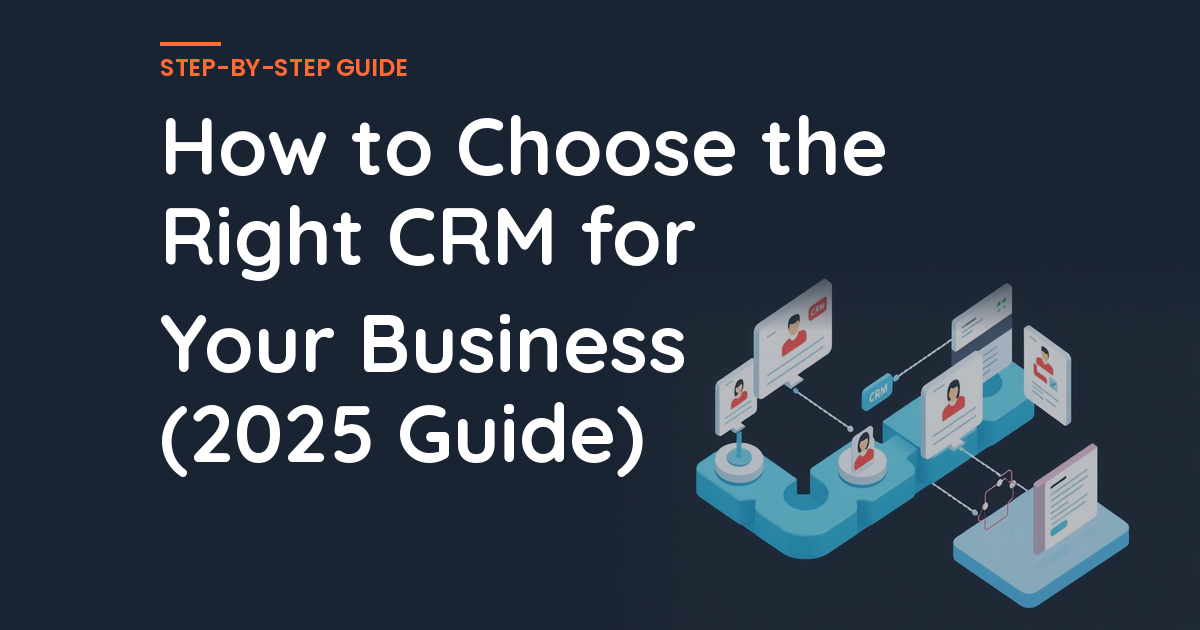
How to Choose the Right CRM for Your Business (2025 Guide)
Knowing how to choose the right crm can be the difference between growth and spinning your wheels.
📋 Table of Contents
Your CRM Choice Can Make or Break Your Sales Operation
You’d be amazed how many businesses I’ve watched implode because they picked the wrong CRM. Not “struggled a bit” or “had some hiccups.” Full implosion. Sales reps abandoning the system after two weeks. Data scattered across seventeen different spreadsheets. Lead follow-ups falling into black holes. Revenue targets missed by massive margins.
A CRM isn’t just another piece of software you buy and forget about. It’s the central nervous system of your entire sales and customer relationship operation. Get it right, and everything flows. Lead tracking becomes automatic. Follow-ups happen without you having to remember them. Your pipeline visibility improves dramatically. Customer communication gets organized and professional.
Get it wrong, and you’ve just bought yourself a $200-per-month headache that nobody on your team wants to use. I’ve been helping businesses navigate their tech stack decisions for over 12 years now, and CRM selection is easily one of the highest-stakes choices you’ll make. The wrong platform doesn’t just waste subscription fees. It wastes your team’s time, creates massive friction in your sales process, and can literally cost you deals.
Let me walk you through exactly how to evaluate, compare, and choose the right CRM for your specific business situation. No vendor bias, no feature-list fluff, just practical guidance based on what actually works.
What Your CRM Actually Needs to Accomplish
Before you start comparing platforms or getting distracted by shiny features, you need to define what you actually need this thing to do. Most businesses make the mistake of starting with feature comparisons instead of requirement definitions. That’s completely backwards.
Your CRM has one primary job: make it easier to manage customer relationships and close deals. Everything else is secondary. Contact management should let you store and organize customer and prospect information in a way that makes sense for your team. Deal and pipeline tracking needs to show you exactly where every opportunity sits in your sales process at any given moment. Activity logging must track emails, calls, meetings, and notes tied to each contact so nothing gets lost. Task and follow-up reminders ensure leads never fall through the cracks. And reporting and dashboards need to give you real-time visibility into sales performance, pipeline health, and team activity.
That’s the foundation. If a CRM can’t handle those basics flawlessly, don’t even consider the advanced features.
If how to choose the right crm is on your radar, this guide is for you. Figuring out how to choose the right crm doesn’t have to be complicated. Pro tip: Write down your must-have requirements before you look at any platforms. This becomes your evaluation scorecard and prevents you from getting distracted by flashy features you’ll never actually use.
Now, depending on your business model, you might also need extended capabilities. Email marketing automation for sending sequences, broadcasts, and triggered emails. Landing page and funnel building to capture leads directly through the CRM. Appointment scheduling so prospects can book calls or meetings from your pipeline. SMS and phone capabilities to call and text directly from the platform. E-commerce or invoicing to process payments and track revenue. And custom integrations to connect with your existing tools like your website, ad platforms, or support desk.
The key is distinguishing between must-haves and nice-to-haves. Must-haves are features that your business literally can’t function without. Nice-to-haves are things that would be convenient but aren’t deal-breakers if they’re missing or expensive.
Free 5-Minute Video
See How DeskTeam360 Works in Under 5 Minutes
Watch the short video and see exactly how we handle design, development, and marketing implementation — so you don't have to.
Watch the Video →
The CRM Platforms That Actually Matter
Let’s cut through the noise. There are dozens of CRM platforms out there, but only a handful are worth serious consideration for most businesses. I’m going to focus on the ones I’ve seen work consistently across different business types and sizes.
HubSpot CRM: The Safe Choice for Growing Businesses
HubSpot dominated the small-to-medium business CRM market by doing something most software companies won’t: offering a genuinely free tier that’s actually usable. Not a crippled trial version or a demo with fake limitations. A real, functional CRM that includes contact management, deal tracking, email integration, and basic reporting. You can literally run a small sales operation on it without paying anything.
Their pricing scales reasonably. The free tier works for solo operators and small teams. Starter at $20 per month per seat adds automation and basic marketing features. Professional at $100 per month per seat unlocks advanced marketing automation, workflows, and comprehensive reporting. Enterprise at $150 per month per seat gives you everything plus advanced permissions and customization.
The biggest advantages are obvious once you start using it. The user interface is exceptionally intuitive. Most people can figure out the basics without formal training. The integration ecosystem is massive, with over 1,000 native connections to other business tools. The marketing hub lets you handle email campaigns, landing pages, and automation all in one place. And their educational content and support resources are genuinely helpful, not just marketing fluff.
The downsides become apparent as you scale. The pricing gets expensive fast once you need professional-level features. Some critical functionality is locked behind higher-tier plans, forcing upgrades earlier than you’d prefer. Per-seat pricing adds up quickly with larger teams. And once you’re deeply integrated into the HubSpot ecosystem, migrating away becomes a significant project.
HubSpot works best for B2B service businesses, agencies, SaaS companies, and any business that values ease of use over maximum customization. If you want marketing and sales in one platform without technical complexity, it’s hard to beat.
For detailed guidance on getting HubSpot configured properly, our guide on outsourcing HubSpot setup covers the implementation process and common mistakes to avoid.
Salesforce: When You Need Maximum Power and Complexity
Salesforce is the 800-pound gorilla. It’s the most powerful, most customizable, and most complex CRM on the market. It can do virtually anything you can imagine, but that flexibility comes with significant complexity and cost. This isn’t a platform you just sign up for and start using.
Pricing starts at $25 per user per month for Essentials, which is their simplified version for small teams. Professional at $80 per user per month is where most businesses start. Enterprise at $165 per user per month unlocks advanced customization and analytics. Unlimited at $330 per user per month gives you everything, but you’re talking serious enterprise money at that point.
The advantages are real if you need them. Unmatched customization and configuration options let you build exactly the system your business needs. Reporting and analytics capabilities are incredibly powerful. The app marketplace (AppExchange) has thousands of add-ons and integrations. It handles complex, multi-stage sales processes better than any other platform. And it’s industry-standard, so finding people who know how to use it isn’t difficult.
The disadvantages are equally real. The learning curve is steep and requires formal training, often ongoing. Implementation typically requires a consultant, which can cost anywhere from $5,000 to $50,000 or more depending on your requirements. It can be complete overkill for businesses with straightforward sales processes. And the ongoing complexity means you need someone dedicated to CRM administration.
Watch out: Don’t pick Salesforce based on the sales demo. Every CRM looks incredible in a controlled demo with pre-loaded data. Ask for case studies from businesses your size, in your industry, handling your ticket volume. That’s where the truth lives.
Salesforce makes sense for mid-market to enterprise businesses with complex sales processes, large sales teams, and the budget for proper implementation and ongoing management.
GoHighLevel: The All-in-One Disruptor
GoHighLevel has exploded in popularity, especially among marketing agencies and local service businesses. Instead of being just a CRM, it bundles customer relationship management, marketing automation, funnel building, SMS, phone capabilities, scheduling, reputation management, and more into one platform at competitive pricing.
Their pricing is straightforward. Starter at $97 per month covers a single account with most features included. Agency Unlimited at $297 per month gives you unlimited sub-accounts, which is perfect for agencies managing multiple clients. Agency Pro at $497 per month adds white-label capabilities so you can rebrand and resell the platform to your clients.
The appeal is obvious when you calculate the replacement value. Most businesses are paying for separate email marketing, funnel building, scheduling, SMS, phone, and CRM tools. GoHighLevel can replace five to ten different platforms at a fraction of the combined cost. It’s built specifically for agency workflows with white-label capabilities that let you present it as your own platform. Development is aggressive with frequent feature releases and improvements.
The challenges become apparent during daily use. The interface can feel clunky compared to more polished platforms like HubSpot or Salesforce. The learning curve is steep because of the sheer number of features and capabilities. Customer support quality is inconsistent, which can be frustrating when you’re trying to solve problems quickly. And some features feel half-built compared to dedicated single-purpose tools.
GoHighLevel works best for marketing agencies who want to consolidate tools and potentially white-label for clients, and local service businesses that need CRM plus marketing automation on a budget.
We’ve helped numerous businesses integrate GoHighLevel with their existing websites and processes. Our guide on GoHighLevel website design covers what you need to know about building effective landing pages and funnels within the platform.
When Budget and Features Don’t Align
Sometimes the platform that fits your feature requirements doesn’t fit your budget, or the one that fits your budget doesn’t have the features you need. Keap (formerly Infusionsoft) falls into this category for many businesses.
Keap’s strength is marketing and sales automation. Complex sequences that trigger based on contact behavior, detailed lead scoring, and sophisticated lifecycle management. If your business model depends on nurturing leads through extended sequences before they’re ready to buy, Keap handles that better than most alternatives.
The pricing starts at $159 per month for 1,500 contacts, $229 per month for 2,500 contacts, and scales from there. The challenge is that contact-based pricing gets expensive quickly as your list grows, and the starting price is higher than many competitors for basic CRM functionality.
Keap makes sense for small businesses that need sophisticated automation, like coaches, consultants, or information product businesses, and are willing to invest in proper setup and ongoing management.
The Decision Framework That Actually Works
Stop comparing feature lists side by side. Start asking the right questions about your actual business situation.
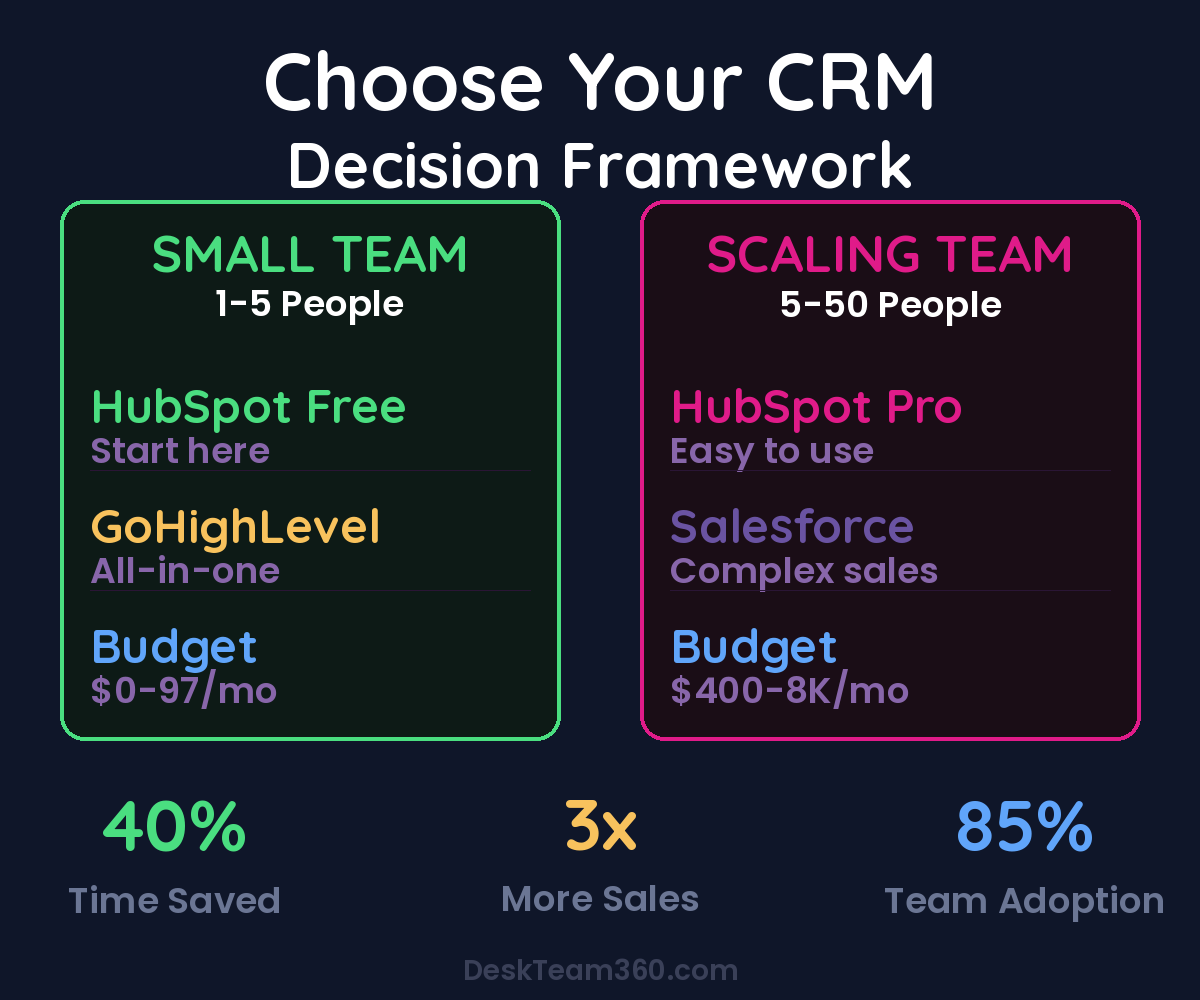
What’s your team size realistically going to be over the next two years? Solo or very small teams should start with HubSpot Free or GoHighLevel Starter. Teams of five to fifteen people typically need HubSpot Starter or Professional, or GoHighLevel Agency. Teams of fifteen to fifty people usually require HubSpot Professional or Salesforce Professional. Teams over fifty people generally need Salesforce Enterprise or HubSpot Enterprise.
How technical is your team, and do you have someone who can serve as a CRM administrator? If your team isn’t technical and you don’t have a dedicated CRM admin, HubSpot is the safest choice. It’s intuitive enough that most people can learn the basics without formal training. Salesforce and GoHighLevel both require more technical setup and ongoing management.
What other tools do you currently pay for that the CRM could replace? If you’re paying for separate email marketing, landing page builders, scheduling tools, and phone systems, GoHighLevel or HubSpot Professional can consolidate those into one platform. Calculate the total cost of your current tech stack versus the all-in-one price to get a realistic cost comparison.
Our guide on understanding your marketing tech stack can help you map out what you’re currently using and identify consolidation opportunities.
Businesses that consolidate from 5+ separate tools into an integrated CRM platform see 40% reduction in monthly software costs and 60% less time spent on administrative tasks.
For industry benchmarks and research, see Think with Google.
How complex is your actual sales process? If your sales process is relatively straightforward (inquiry, quote, close), HubSpot or GoHighLevel will handle it easily. If you have complex sales processes with multiple stakeholders, long sales cycles, detailed forecasting requirements, and custom approval workflows, Salesforce becomes necessary.
What’s your real budget when you factor in everything? Don’t just look at the monthly subscription price. Implementation costs can be significant, especially for Salesforce. Data migration from your current system takes time and often requires cleanup work. Training time for your team has a cost in productivity. Per-user costs scale as your team grows. Add-on features that seem optional now might become necessary later.
Implementation: Where Good CRM Choices Go to Die
Choosing the right CRM is actually the easy part. Implementing it properly is where most businesses fail spectacularly.
The most common mistake is trying to implement a CRM without having a clear sales process defined first. A CRM should mirror your existing sales process, not force you to invent one. If you haven’t clearly defined how leads move through your pipeline, what information you need to track at each stage, and what triggers movement between stages, your CRM will be a confusing mess regardless of which platform you choose.
The second mistake is trying to use every feature immediately. Start with the absolute basics: contacts, deals, and tasks. Get your team comfortable with those core functions before adding automation, advanced reporting, or integration with other tools. Most CRM failures happen because teams get overwhelmed by complexity on day one.
Poor data migration kills CRM implementations before they start. If you’re moving from spreadsheets or another CRM, clean your data first. Duplicate contacts, missing information, and inconsistent formatting will haunt you forever if you migrate messy data into a clean system. It’s much easier to clean data before migration than after.
Team training can’t be an afterthought. A CRM only works if your team actually uses it consistently. Invest in proper training, not just a “here’s your login” email. Most platforms offer training resources, webinars, or certification programs. Use them.
If you find yourself spending more than a few hours confused by basic setup, or if your CRM needs to integrate with multiple other systems, consider getting professional help. A properly implemented CRM pays for itself many times over. A poorly implemented one becomes expensive software that nobody uses.
For comprehensive guidance on outsourcing your CRM setup and configuration, read our detailed CRM setup outsourcing guide.
When to Switch and How to Do It Right
Already using a CRM that isn’t working? Here’s when it makes sense to switch platforms and when you should stick it out.
Switch if your team actively avoids using the current system. If adoption is below 50% after six months, you have a platform problem, not a training problem. Switch if you’re paying for features you don’t use while missing critical features you need. Switch if the cost has grown beyond what’s justifiable for your business size. Switch if integration limitations are forcing manual workarounds that waste significant time. And switch if the platform’s development roadmap doesn’t align with your business direction.
Don’t switch if the problems are primarily training or process-related. Don’t switch just because a competitor offers lower pricing without considering migration costs and disruption. Don’t switch based solely on feature comparisons without understanding implementation complexity.
CRM migrations are disruptive. Budget two to four weeks for data migration, system configuration, team training, and process adjustment. The disruption is worth it if you’re switching from a fundamentally wrong platform to a fundamentally right one. It’s not worth it if you’re switching between similar platforms for minor improvements.
Making Your Decision and Moving Forward
The best CRM is the one your team actually uses consistently. Advanced features don’t matter if your sales reps are still tracking leads in spreadsheets because the CRM is too complicated, too slow, or doesn’t fit their workflow.
Define your requirements clearly before looking at any platforms. Match those requirements to the platform that fits your team size, technical comfort level, budget, and sales process complexity. Implement it properly with clean data migration, proper training, and designated ownership. Give it ninety days of consistent use before evaluating whether it’s working.
Most CRM failures aren’t platform problems. They’re implementation and adoption problems. The right platform implemented poorly will fail. A mediocre platform implemented well will succeed.
Understanding how to measure ROI applies to CRM selection too. Track metrics like time saved on administrative tasks, improvement in follow-up consistency, increase in pipeline visibility, and ultimately, impact on revenue and deal closure rates.
Need help with the technical implementation, data migration, integration setup, or ongoing management of your chosen CRM? We handle the setup, configuration, and optimization work that turns your CRM from expensive software into your sales engine.
Free Template
The Ultimate Task Delegation Template
Stop guessing what to hand off. This template shows you exactly what to delegate, how to brief it, and how to QA the results.
Get the Free Template →