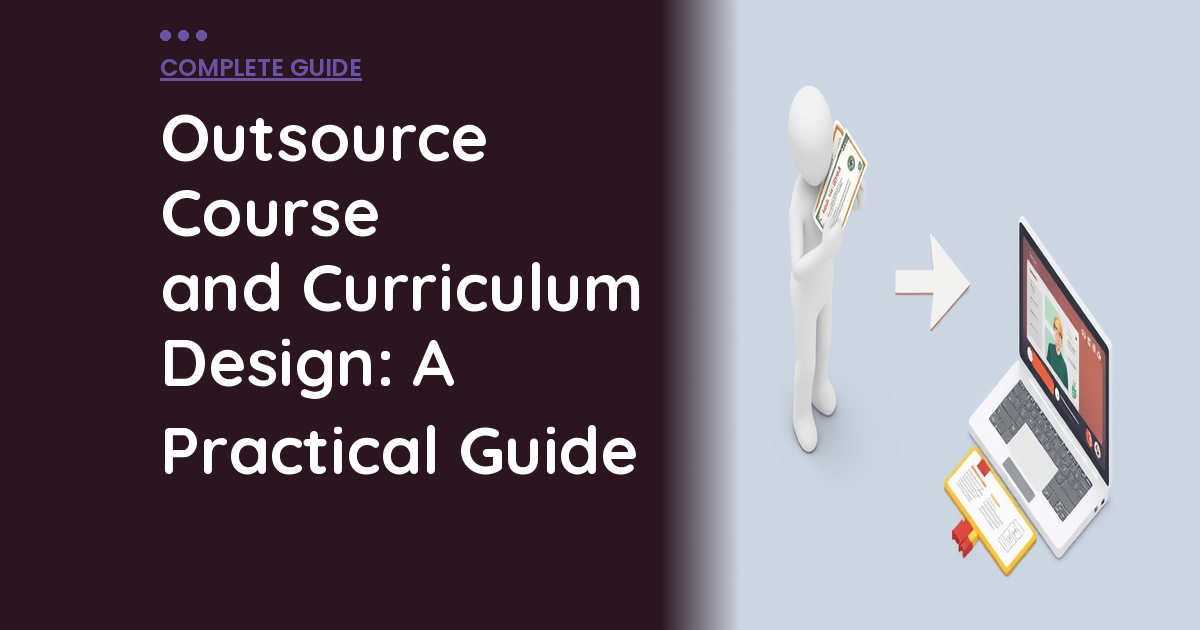
Outsource Course and Curriculum Design: A Practical Guide
When you outsource course design, you free up your team to focus on what moves the needle.
📋 Table of Contents
Why Building an Online Course Is Harder Than You Think
Everyone thinks creating an online course is the ultimate passive income play. Record some talking head videos over the weekend, upload them to Teachable, and watch the money roll in while you’re sleeping.
I’ve got news for you. It doesn’t work that way.
I’ve watched dozens of businesses and entrepreneurs blow through $10K and six months trying to DIY a course launch over my 12+ years running outsourced teams. The ones who insist on doing everything themselves usually end up with something that looks like it was made in PowerPoint 2003 and sells about as well as a sandwich at a steakhouse.
Here’s what a professional online course actually requires. Curriculum design that creates logical learning progression. Slide decks that don’t make people want to gouge their eyes out. Workbook layouts that students actually use instead of delete immediately. Video editing that doesn’t look like a Zoom recording from 2020. LMS setup that doesn’t crash when someone tries to pay you. Landing page design that converts browsers into buyers. Email sequences that guide students through the content. And ongoing updates because nothing stays perfect forever.
That’s not a weekend side project. That’s a full production with moving parts, technical requirements, and creative elements that most business owners have never touched.
The smart move? Keep what you’re actually good at, your expertise and content, and outsource the production work to people who do this professionally.
What You Should Actually Outsource in Course Creation
Let me be crystal clear about the line here. Do NOT outsource your knowledge. The frameworks, strategies, and hard-won experience that make your course valuable can only come from you. But everything that wraps around that knowledge? That’s where you bring in the pros.
Curriculum Structure and Learning Design
There’s a massive difference between “here are 47 things I know about this topic” and “here’s a structured path that takes someone from beginner to competent in logical steps.” Most subject matter experts are terrible at the second one.
An instructional designer takes your brain dump and turns it into actual curriculum. They organize your content into modules that build on each other. They create learning objectives that aren’t just corporate buzzword salad. They design assessments and checkpoints that keep students engaged instead of overwhelmed. They ensure the pacing doesn’t lose people in week two.
This is the difference between a course that transforms students and one that gets a 15% completion rate and angry refund emails.
If outsource course design is on your radar, this guide is for you. When you outsource course design, you’re making a strategic move. Pro tip: If your course doesn’t have clear learning objectives for each module, you’re teaching content, not creating transformation. Students need to know what they’ll be able to DO after each section, not just what they’ll learn.
Slide Deck and Visual Design
Your slides directly impact perceived value. Students judge course quality in the first five minutes, and ugly slides with Comic Sans and clipart scream “I made this myself and it shows.”
A professional designer creates branded templates that match your business identity. They design individual slides that support your teaching instead of distracting from it. They incorporate graphics, charts, and visual elements that clarify complex concepts. They ensure consistency across every lesson so your course feels cohesive instead of cobbled together.
Quality matters more than you think. Students will assume a course with amateur visuals contains amateur content, even if your knowledge is world-class.
Workbook and Resource Creation
Downloadable resources separate amateur courses from professional ones. Worksheets, templates, checklists, and guides add massive perceived value and improve learning outcomes because students apply what they’re learning instead of just consuming it.
But designing professional PDF workbooks requires actual graphic design skills. Proper typography, branded layouts, print-ready formatting, fillable form fields for digital use, and consistent design language across all materials. If you’ve ever tried to create a workbook in Microsoft Word, you know how painful this gets.
Our guide on outsourcing presentation design covers the fundamentals if you want to dive deeper into this process.
Video Production and Editing
Raw video footage is not ready for students. It needs intros, outros, lower thirds with your name and credentials, screen recordings with clear annotations, jump cuts that remove the “ums” and dead air, audio cleanup so you don’t sound like you’re recording in a bathroom, and color correction so you don’t look like a zombie.
Professional editing is the difference between a course that feels like a Netflix production and one that feels like someone’s first YouTube video. The production quality sets expectations for content quality.

LMS Configuration and Technical Setup
Setting up your learning management system involves way more technical work than the marketing materials suggest. Module organization, drip scheduling so students don’t get overwhelmed, payment integration that actually works, student dashboard customization, certificate generation, email automation for course delivery, and a dozen other configuration details that matter enormously but aren’t sexy to think about.
Most entrepreneurs spend three weeks fighting with LMS settings instead of creating content. That’s backwards.
Free Template
The Ultimate Task Delegation Template
Stop guessing what to hand off. This template shows you exactly what to delegate, how to brief it, and how to QA the results.
Get the Free Template →
Platform Selection: The Foundation Decision
Before you outsource anything, pick your platform. This decision affects everything else, so get it right the first time. Here’s the real breakdown:
Teachable: Beginner-Friendly, Limited Growth
Teachable is the training wheels platform. Easy setup, clean student experience, handles payments without drama. Perfect for testing a course concept or if you want minimal technical headaches.
The downsides bite you later. Limited customization means your course looks like every other Teachable course. Transaction fees on lower plans eat into profits. Marketing tools are basic, so you’ll need other systems for email sequences, landing pages, and student engagement.
Kajabi: All-in-One Premium Solution
Kajabi replaces five separate tools. Course hosting, website, email marketing, sales funnels, and community features in one platform. No transaction fees, powerful automation, and professional templates that don’t scream “I used a course platform.”
The price tag reflects the value. Starting at $149 per month, it’s expensive for solo creators testing ideas. There’s also a learning curve because you’re essentially learning a complete business platform, not just a course tool.
Thinkific: Middle Ground Option
Thinkific splits the difference. More customization than Teachable, less expensive than Kajabi. The free plan is actually usable, which is rare in this space. No transaction fees even on free accounts.
Marketing features lag behind Kajabi, and some essential features require higher-tier plans. It’s solid but not exceptional at anything.
LearnDash: WordPress Integration
If your business already runs on WordPress, LearnDash lets you host courses on your existing site. Complete control, full customization, one-time purchase instead of monthly fees.
The tradeoff is complexity. You handle hosting, security, backups, updates, and technical troubleshooting. Great for established businesses with technical teams, overkill for most solo creators.
Platform choice affects outsourcing costs. Some platforms require more technical expertise to set up properly, which means higher hourly rates for skilled developers. Factor this into your total budget.
Related: Marketing Implementation for Online Service Providers: A Practical Guide.
The Outsourcing Process That Actually Works
Here’s how to work with an external team without losing your mind or your budget:
Phase 1: Create Your Content Blueprint (Do This Yourself)
Before involving designers or developers, create a detailed course outline. Not bullet points, a structured blueprint with module titles and descriptions, individual lesson topics within each module, key teaching points for each lesson, content format for each piece (video, slides, workbook, assessment), and clear learning outcomes for every section.
The more specific your blueprint, the better results you’ll get from your outsourced team. Vague briefs produce vague deliverables and endless revision rounds that blow up budgets.
Phase 2: Establish Design Standards
Your team creates the visual foundation. Brand application throughout all materials, slide deck master templates for consistency, workbook layout patterns that work across modules, video thumbnail templates for professional course organization, and email templates for student communications.
Getting design standards right upfront prevents scope creep later. Every lesson builds from established templates instead of starting from scratch.
Phase 3: Systematic Content Production
With blueprint and design system locked in, production becomes assembly line efficient. You create content (record videos, write lesson materials). Designers build slides using master templates. Video editors process raw footage with professional polish. Graphic designers create workbooks and resources for each module. Developers configure everything in your LMS with proper organization and automation.
This phase runs smoothest when everyone knows exactly what they’re responsible for and when deliverables are due.
Phase 4: Quality Control and Launch Prep
Before students see anything, test everything. Click through the entire course as a new student would. Test video playback on different devices and internet speeds. Verify all downloads work correctly and display properly. Confirm payment processing and student enrollment function smoothly. Check that email automations trigger at the right times with accurate content.
Professional quality control catches issues before they become student complaints and refund requests.
Courses that complete quality testing see 73% higher completion rates and 45% fewer support tickets compared to those that launch immediately after content creation.
For industry benchmarks and research, see Deloitte Global Outsourcing Survey.
For industry research and benchmarks, check out HBR on Outsourcing.
What Professional Course Production Actually Costs
Let’s talk real numbers because most entrepreneurs underestimate this wildly.
Individual freelancer rates: instructional designers charge $50-150 per hour for curriculum development, graphic designers run $40-100 per hour for slides and workbooks, video editors cost $40-80 per hour for professional post-production, and LMS developers charge $50-120 per hour for setup and configuration.
For a comprehensive course with eight modules, video lessons, slide decks, downloadable resources, and full LMS configuration, expect $5,000 to $25,000 depending on complexity and quality level. The range is wide because “course design” can mean basic template application or completely custom educational experience design.
Many businesses choose subscription design services to avoid per-project pricing and scope creep. Submit course design requests, video editing needs, LMS setup tasks, and resource creation all under one monthly fee. More predictable budgeting, access to multiple specialists without managing individual contractors.
Course Design Outsourcing Mistakes That Cost Money
I’ve seen these same mistakes destroy budgets and timelines across dozens of course launches.
Starting production without a detailed course outline wastes everyone’s time and money. Designers can’t create effective slides for vague concepts. Developers can’t set up LMS automation without knowing the course flow. Writers can’t create workbooks without understanding learning objectives. Do the content planning yourself before involving anyone else.
Choosing platforms based on marketing instead of actual needs leads to expensive migrations later. Don’t pick Kajabi because it’s trendy if your needs are simpler. Don’t choose Teachable just for easy setup if you need advanced marketing features. Match platform capabilities to your specific requirements and growth plans.
Watch out: Migrating a course between platforms after launch is expensive and disruptive. Students lose access during transitions, you pay double setup costs, and custom integrations break. Choose carefully the first time.
Focusing only on aesthetics while ignoring learning experience creates beautiful courses that don’t work. Pretty slides that don’t support understanding. Gorgeous workbooks that students never complete. Polished videos that don’t advance learning objectives. Always prioritize educational effectiveness over visual appeal when they conflict.
Skipping mobile optimization kills course sales and completion rates. Over 60% of online learners access courses primarily on mobile devices. If your slides are unreadable on phones, your videos don’t play smoothly on tablets, or your workbooks don’t display correctly on different screen sizes, you’ll get refund requests and poor reviews.
DIY vs. Outsource: Making the Right Choice
DIY makes sense when you’re testing course concepts with minimal viable versions, working with budgets under $1,000, or genuinely enjoy design and technical work as creative outlets.
Outsource when you’re building premium courses that command $200+ pricing, want professional polish that justifies higher prices, launching courses for established brands or businesses (not just personal projects), or when your time creates more value focusing on content creation and marketing instead of production tasks.
The math usually favors outsourcing. If you spend 60 hours learning video editing, fighting with LMS configurations, and designing slide templates, that’s 60 hours you could have spent creating more content, building your audience, or selling existing courses. Opportunity cost adds up faster than most people realize.
For comprehensive guidance on working with creative teams, check out our guide on writing effective creative briefs to ensure smooth project execution.
Build Courses That Command Premium Prices
Professional course design directly impacts pricing, completion rates, student satisfaction, and word-of-mouth referrals. Students judge value quality within minutes of starting your course. Polish matters because it sets expectations for content quality.
A professionally designed course with branded slides, comprehensive workbooks, smooth video production, and seamless student experience justifies premium pricing and generates positive reviews that sell future enrollments.
You bring irreplaceable expertise. Professional teams handle design, production, and technical implementation so you can focus on teaching and growing your business. Understanding how to measure ROI applies to course investments too, when production quality drives higher conversion rates and student lifetime value, the numbers work in favor of outsourcing.
The course creation landscape has changed. Professional production isn’t optional anymore, it’s table stakes for success. Students expect Netflix-quality experiences, not amateur hour presentations. Meet those expectations or watch potential students choose competitors who do.
Free 5-Minute Video
See How DeskTeam360 Works in Under 5 Minutes
Watch the short video and see exactly how we handle design, development, and marketing implementation — so you don't have to.
Watch the Video →