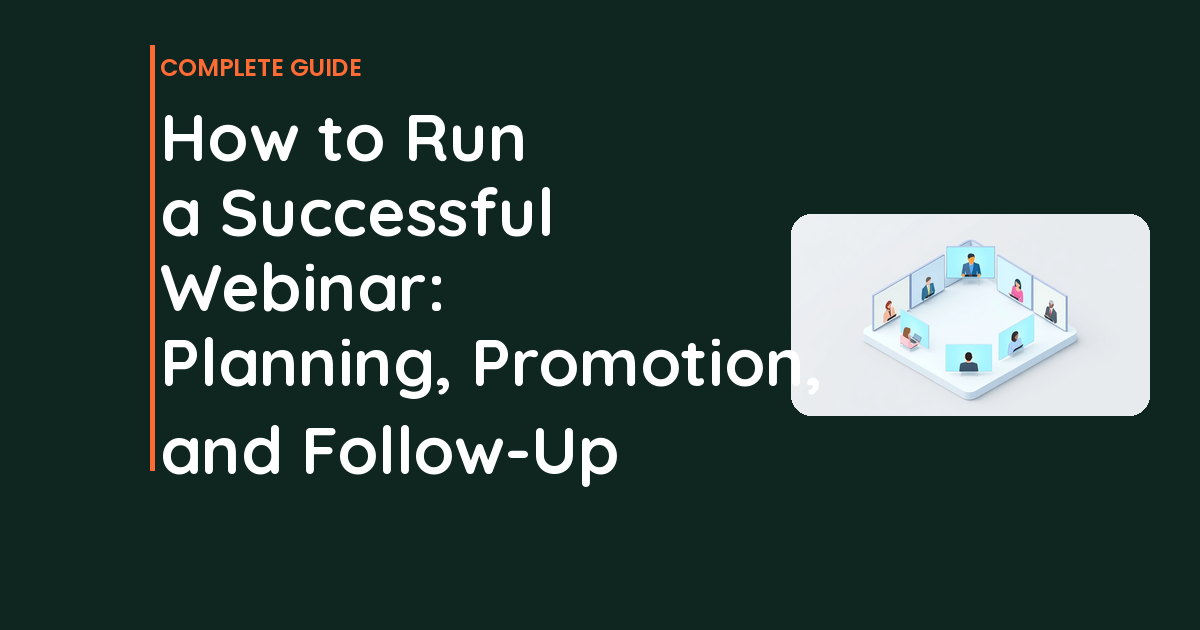
How to Run a Successful Webinar: Planning, Promotion, and Follow-Up
Knowing how to run a successful webinar can be the difference between growth and spinning your wheels.
📋 Table of Contents
Why Most Webinars Suck (And How to Run One That Actually Works)
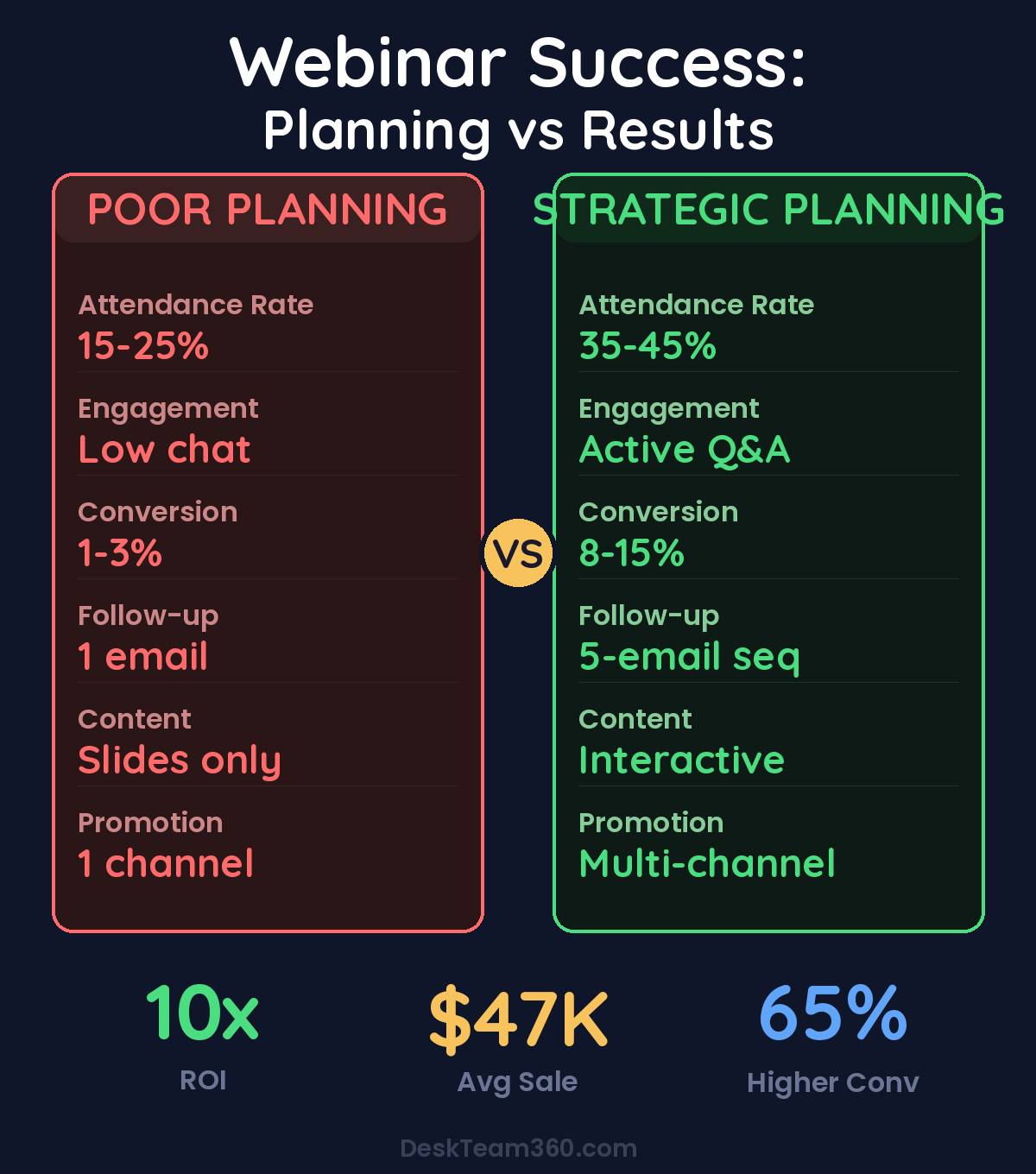
Last month, a client told me webinars were “dead” and a waste of time. Three weeks later, he ran his first properly planned webinar and generated $47K in sales from 127 attendees. Webinars aren’t dead. Bad webinars are dead.
I’ve been helping businesses run webinars for over a decade, across industries from SaaS to professional services to ecommerce. The ones that work follow a specific playbook. The ones that fail ignore it. There’s no middle ground.
Here’s the reality most marketers won’t tell you: webinars are still one of the highest-converting lead generation and sales tools available. A prospect watches you for 60 minutes, learns something valuable, sees your expertise firsthand, and gets a clear next step. No blog post, email sequence, or social media campaign can replicate that level of engagement and trust-building.
But you have to do them right. Death-by-PowerPoint presentations with robotic hosts reading slides word-for-word deserve to fail. If that’s your idea of a webinar, don’t bother. Your audience will leave after 10 minutes and never register for another one.
Planning Your Webinar: Get This Foundation Right or Fail
Pick a Topic That Solves One Specific Problem
“Digital Marketing Strategies” is not a webinar topic. It’s a university course. Nobody registers for something that vague.
“5 Email Sequences That Recovered $127K in Abandoned Cart Revenue” is a webinar topic. It’s specific, it promises a tangible result, and it targets people with a defined problem.
Your topic needs to address a specific pain point your audience has right now, promise something concrete they can implement immediately, be narrow enough to cover thoroughly in 45-60 minutes, and naturally lead into your product or service. If your topic doesn’t check all four boxes, pick a different topic.
Choose the Right Format for Your Goal
Solo presentations work best for establishing authority and thought leadership. You teach, you demonstrate expertise, you position yourself as the expert. Most effective for top-of-funnel audience building.
Interview or panel formats let you borrow credibility from industry experts and tap into their audiences. The guest does half the work, you get access to their network. Smart for audience expansion.
Live demos are gold for bottom-of-funnel prospects who are close to buying. Show your product, tool, or process in action. Let them see exactly how it works and what results look like.
Workshops create the highest engagement because attendees follow along and build something during the session. They require more preparation, but people who complete workshops convert at 3x the rate of presentation attendees.
Set Your Date and Time Based on Data, Not Convenience
I’ve analyzed thousands of webinars across dozens of industries. Tuesday, Wednesday, and Thursday consistently outperform Monday and Friday. The sweet spot is 11am to 1pm in your primary audience’s timezone. Monday mornings are brutal because people are catching up from the weekend. Friday afternoons compete with weekend planning.
Give yourself 2-3 weeks of promotion time, minimum. Less than two weeks and you’re leaving registrations on the table. More than a month and people forget they registered.
Pro tip: Expect 30-40% of registrants to actually show up live. The rest will watch the replay if you make it available. This isn’t a failure, it’s normal. Factor it into your planning from day one.
Free Tool
How Much Is Freelancer Management Really Costing You?
Most agency owners have never done this math. Plug in a few numbers and see your real cost in 2 minutes.
Calculate Your Hidden Costs →
The Tech Stack: What Actually Matters vs Marketing Fluff
Webinar Platform Selection
Zoom Webinars is reliable, familiar to attendees, and scales to 1,000+ people without breaking. Starting at $79 monthly. The interface isn’t sexy but it works consistently. Your audience won’t complain about using Zoom.
Demio is purpose-built for marketing webinars with better registration flows, engagement tools, and analytics than Zoom. Starting at $59 monthly. The learning curve is minimal and the features actually matter for lead generation.
WebinarJam and EverWebinar excel at automated and evergreen webinars. If your strategy involves running the same webinar repeatedly, they’re worth considering. Starting at $39 monthly.
StreamYard plus YouTube Live costs nothing and handles unlimited attendees, but you lose registration control and detailed analytics. Good for public education webinars, terrible for lead generation.
Registration Infrastructure That Actually Converts
Most webinar platforms include registration pages. Most of those pages are ugly and generic. Create a custom landing page that clearly states what attendees will learn, when it’s happening, and why they should care. Include speaker credentials that matter to your audience. Show social proof like attendee counts or testimonials from previous webinars. Make the registration form prominent and simple.
The page needs to work perfectly on mobile because 60% of registrations come from phones. If you’re not confident building high-converting landing pages, our guide on creating effective landing pages covers the fundamentals.
Email Automation: The Unglamorous Work That Drives Results
You need five automated emails: registration confirmation with calendar invite, one week reminder with speaker bio or agenda preview, one day reminder with login details, one hour reminder for committed attendees, and post-webinar follow-up with replay link and next steps.
Most businesses send one confirmation email and wonder why attendance is low. The reminder sequence is not optional. It’s the difference between 25% attendance and 40% attendance. People register with good intentions and forget. Remind them why they registered and make it easy to attend.
Promotion: How to Actually Fill the Virtual Seats
Email Marketing Delivers the Highest ROI
Your existing email list should drive 60-80% of registrations. These people already know you, trust you enough to give you their email address, and have shown interest in your content. They’re the easiest audience to convert.
Send a dedicated announcement email 2-3 weeks before the webinar. Follow up with a reminder that includes additional details or value-adds one week before. Send a last chance email the day before focusing on urgency and FOMO. Send a day-of reminder the morning of the event with direct login instructions.
Each email should have a different angle. The announcement focuses on the topic and value. The week-before reminder might highlight the speaker’s credentials or preview specific takeaways. The last chance email emphasizes what people will miss if they don’t attend.
Businesses that send a 4-email promotion sequence see 65% higher attendance rates than those that send one announcement email.
Social Media: Supporting Actor, Not Lead Role
Organic social rarely drives massive webinar registrations by itself, but it amplifies your other promotion channels. Create multiple posts with different angles rather than posting the same announcement repeatedly. Behind-the-scenes content performs well. Speaker spotlight posts build credibility. Countdown posts create urgency. Registration milestone updates leverage social proof.
Design branded graphics for each post. Stock photos with generic text overlays look amateur and convert poorly. If visual design isn’t your strength, outsourcing social media graphics is worth every dollar.
Paid Advertising: When Budget Allows, This Scales Fast
Facebook and LinkedIn ads can fill a webinar quickly if your targeting is precise. Budget $500-2,000 for a single webinar promotion depending on your audience size and topic competitiveness. Expect cost per registration between $3-15 for B2B topics, $1-8 for B2C topics.
Create dedicated ad creative specifically for the webinar. Boosting organic posts gets mediocre results compared to purpose-built ad creative designed for conversion.
Partner Promotions: The Fastest Way to Expand Reach
Co-host with a complementary business or industry expert. They promote to their audience, you promote to yours, everyone benefits from the expanded reach. This strategy works especially well for interview-format webinars where the guest has a strong incentive to promote.
Find partners with similar audience size and engagement levels. A business with 50,000 email subscribers who never open emails is worth less than a business with 5,000 highly engaged subscribers.
Presentation Design: Keep People Watching Instead of Leaving
Slide Design Rules That Actually Matter
Your slides are a visual aid, not a document. One idea per slide, maximum. If you’re cramming paragraphs onto slides, you’re doing presentations wrong. People should be listening to you, not reading your slides.
Use visuals instead of text whenever possible. Screenshots, diagrams, charts, and relevant photos beat bullet points every time. Maintain consistent branding with your colors, fonts, and logo positioning. Use large fonts, minimum 24 points, because people watch on laptops and phones. Limit text to six words per line and six lines per slide.
Most business owners aren’t designers and their slides look like it. If your presentation design skills are weak, outsource it. A professionally designed deck elevates the entire webinar experience and builds credibility from slide one.
Engagement Tactics That Work
Ask poll questions every 10-15 minutes to break up the monotony and gather audience data. Use simple chat prompts like “Type YES if you’ve experienced this” to create participation. Dedicate real time to Q&A, at least 10-15 minutes at the end. Answer questions live when possible because that’s where buying decisions happen.
Switch to your screen for live demos when you can show instead of just telling. Offer downloadable resources available only during the webinar to reward attendance and capture additional contact information.
The engagement sweet spot: Interactive enough to keep attention, but not so interactive that you lose control of the presentation flow. Too many polls and prompts become distracting rather than engaging.
For industry research and benchmarks, check out HubSpot Marketing.
The Presentation Structure That Sells
Minutes 0-5 should cover welcome, housekeeping items like how to ask questions, recording notification, brief speaker credentials, and agenda overview. Keep it short. People didn’t register to hear about logistics.
Minutes 5-35 deliver your core teaching content. Use a clear framework like “3 steps to achieve X” or “5 strategies for Y problem.” Give real examples, specific numbers, and actionable takeaways. This section establishes your credibility and delivers the promised value.
Minutes 35-45 transition naturally from content to your offer. “We’ve covered how to do X yourself, now let me show you how we help clients implement it faster.” Present social proof, case study results, and clear pricing. The transition should feel natural, not jarring.
Minutes 45-60 handle Q&A. This is where conversions happen. Objections get addressed, trust deepens, and urgency builds. Don’t rush this section or treat it as optional. It’s often the most valuable part of the entire webinar.
Follow-Up Sequences: Where Most Sales Actually Happen
The webinar is the appetizer. Your follow-up sequence is the main course. Most people need multiple touchpoints before making a purchase decision, especially for higher-ticket offers.
For live attendees, send a thank you email the same day with the replay link, any promised downloadable resources, and a clear call-to-action. Day two, send a recap of key takeaways with “the one thing most people miss” plus another CTA. Day four, share a case study or testimonial related to your webinar topic. Day seven, create urgency around any limited-time offers mentioned during the webinar.
For no-shows who registered but didn’t attend, send a “sorry we missed you” email the same day with the replay link. Day three, highlight key insights from the webinar with the replay link and a soft CTA. Day five, use “replay coming down soon” urgency to drive action.
For non-registrants on your broader email list, send a post-event email with a highlight reel or compelling statistic from the webinar. Create FOMO for your next webinar while providing value to people who missed this one.
Watch out: Don’t send the same follow-up sequence to everyone. Live attendees have higher purchase intent than no-shows. No-shows have higher intent than non-registrants. Customize your messaging accordingly.
Measuring What Matters: Metrics That Drive Improvement
Registration rate measures how well your landing page converts visitors to registrants. Target 30-50% conversion. Lower rates indicate messaging problems, design issues, or audience mismatch.
Attendance rate tracks registrants who actually show up live. Target 35-45%. Lower attendance suggests weak reminder sequences, poor timing, or topic mismatch with your audience’s priorities.
Engagement rate includes chat participation, poll responses, and questions asked. High engagement correlates with high conversion rates. People who participate are more likely to buy.
Conversion rate measures attendees who become customers. Target 5-15% depending on your offer price and sales cycle. Track both immediate sales and sales within 30 days of the webinar.
Cost per acquisition divides your total webinar investment by customers acquired. This metric determines whether webinars are profitable for your business model.
The Outsourcing Strategy: Do What Only You Can Do
Webinars require significant work, but most of it doesn’t need your expertise. Delegate landing page design and development, slide deck design, promotional graphics for social media and email, video editing for replay clips and highlight reels, email sequence copywriting and technical setup, and post-webinar content repurposing.
Your job is to show up, teach effectively, and engage with your audience. Everything else can be handled by team members or freelancers. If you want to learn more about how to delegate tasks effectively, webinar production is an excellent place to start.
The businesses that try to do everything themselves burn out after two or three webinars. The ones that systematize and delegate run webinars monthly and scale their lead generation consistently.
Why Most Businesses Give Up Too Early
Your first webinar won’t be perfect. Your second probably won’t be either. The businesses that succeed with webinars treat each one as an iteration, not a one-time event. They track what worked, fix what didn’t, and improve the next time.
The most common mistake is running one webinar, getting mediocre results, and concluding webinars don’t work for their business. One webinar isn’t enough data to make that decision. Plan for at least three webinars before evaluating the channel’s viability.
The Bottom Line: Execute or Make Excuses
Webinars work when you treat them professionally. Plan the content, design the presentation, promote strategically, and follow up systematically. Skip any of these steps and your results will suffer.
The technology is simple and affordable. The strategies are proven across thousands of successful webinars. The only variable is execution. Either you commit to doing it right, or you find another marketing channel.
Most businesses choose to do webinars poorly and then blame the channel when results disappoint. Don’t be most businesses. Follow the playbook, measure the results, and improve iteratively.
At DeskTeam360, we handle the production side of webinars so our clients can focus on delivering great content. From presentation design to promotional graphics to landing pages, we systematize the entire process. Want to see exactly how we can help your next webinar succeed?
Free 5-Minute Video
See How DeskTeam360 Works in Under 5 Minutes
Watch the short video and see exactly how we handle design, development, and marketing implementation — so you don't have to.
Watch the Video →