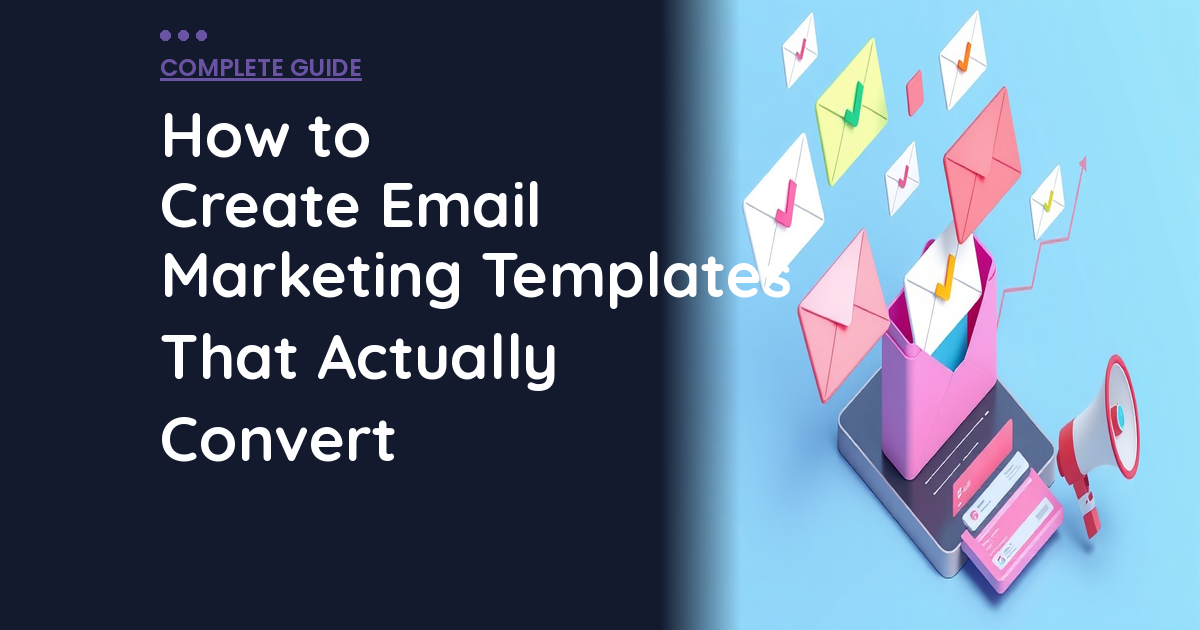
How to Create Email Marketing Templates That Actually Convert
Why Most Email Templates Are Garbage
(And How to Fix Yours)
Figuring out how to create email marketing templates doesn’t have to be complicated. I just looked at an email from a software company charging $200/month for their product, and their email template looked like it was built by a drunk intern in 1998. Comic Sans footer, broken layout on mobile, and a “click here” button that was literally invisible against their background color.
📋 Table of Contents
This isn’t some random startup either. This is a company with millions in revenue, and their email template is actively hurting their business. I see this constantly. Companies that wouldn’t dream of launching a website without professional design will blast 50,000 subscribers with emails that scream “we don’t know what we’re doing.”
Email marketing delivers $36 for every dollar spent when you do it right. But here’s the thing nobody talks about: that ROI assumes your emails actually get opened, read, and clicked. If your template is broken on mobile, your CTA blends into the background, or your design looks amateurish, you’re leaving money on the table every single week.
After 12+ years helping companies fix their marketing, I’ve seen the difference good email templates make. We’re not talking about minor improvements. We’re talking about 40-60% increases in click-through rates just by fixing the design. Here’s exactly how to build email templates that actually convert.
The Five Template Types Every Business Actually Needs
Most companies overthink this. You don’t need 27 different email templates. You need five solid ones that you can customize and reuse. Build these right once, save hours every week.
The Newsletter Template
This is your regular touchpoint with subscribers. The template needs to handle different types of content without looking like a franken-monster. Here’s what works: a clean header with your logo (small, not overwhelming), a hero section for your main content with a compelling headline, secondary content blocks for 2-3 additional items, clear visual dividers between sections, and a consistent footer with social links and contact info.
The biggest mistake I see with newsletter templates is trying to cram everything into one email. Your newsletter should feel like a curated update, not a data dump. If you’re including more than five distinct pieces of content, you’re doing it wrong.
The Promotional Template
This is for product launches, sales, limited-time offers, any time you’re asking people to buy something. The structure is simple but critical: strong hero image or headline with offer details front and center, urgency element like a deadline or limited quantity, product images that actually show what you’re selling, prominent CTA button above the fold, and some social proof like a customer review or testimonial.
The Welcome Email Template
This is the first impression for new subscribers, and it sets the tone for everything that follows. Make it count. Include a warm, personal greeting that doesn’t sound like a robot wrote it. Tell them what they can expect from your emails and how often they’ll hear from you. Deliver any promised freebie or bonus content immediately. And include an invitation to connect, whether that’s following you on social media or simply replying to the email.
Welcome emails get opened 50-60% more than regular emails because people are expecting them. Don’t waste that attention with a boring template that says “thanks for subscribing” and nothing else.
The Transactional Template
Order confirmations, shipping notifications, password resets, the emails people actually need to receive. These should be clean and minimal with essential information front and center. Include order details clearly formatted and easy to scan. Provide support contact information in case something goes wrong. And here’s where you can be subtle about upselling, maybe a “customers also bought” section or a link to related products, but don’t make the email about selling when it should be about confirming.
The Re-engagement Template
For subscribers who’ve gone cold, who haven’t opened or clicked in the last 90 days. The subject line needs to grab attention: “We miss you” or “Still interested?” or something that acknowledges the relationship has gone quiet. Remind them of the value you provide and why they subscribed in the first place. Include an incentive to re-engage, maybe an exclusive offer or access to new content. And always include an easy unsubscribe option. I know that sounds counterintuitive, but clean lists perform better than bloated ones.
For a deeper dive, see our guide on how to outsource event marketing materials: complete guide.
Dead subscribers hurt your deliverability. ESPs like Gmail track engagement rates, and a list full of people who never open your emails makes all your emails more likely to land in spam. Better to have 1,000 engaged subscribers than 5,000 who ignore you.
Free 5-Minute Video
See How DeskTeam360 Works in Under 5 Minutes
Watch the short video and see exactly how we handle design, development, and marketing implementation — so you don't have to.
Watch the Video →
Mobile-First Design Isn’t Optional Anymore
Over 60% of emails get opened on mobile devices. If your template doesn’t work on a phone, you’re alienating the majority of your audience before they even read your subject line.
Here’s what mobile-first actually means in practice. Start with a single-column layout and only add complexity if it genuinely improves the mobile experience. Multi-column designs that look sophisticated on desktop usually break on mobile. Use a minimum font size of 14px for body text because anything smaller requires zooming to read. Make your CTA buttons at least 44×44 pixels because fingers are bigger than mouse cursors. Add plenty of spacing between elements because mobile screens need breathing room.
And optimize your preview text. This is the text that shows up next to your subject line in mobile email apps. Most companies let this default to “View this email in your browser” or the first sentence of their email, which wastes prime real estate. Write preview text that works with your subject line to entice opens.
The Technical Reality of HTML Email
HTML email is stuck in 2005, and fighting this reality will drive you crazy. Email clients don’t support modern web technologies like CSS Grid or Flexbox. You’re building for Outlook, which uses Microsoft Word’s rendering engine to display emails. Yes, really.
This means you need table-based layouts for structure, even though tables have been deprecated for web design for 15+ years. You need inline CSS because many email clients strip style tags from the head. You need to keep total email weight under 100KB or Gmail will clip your email and hide the rest. And you absolutely must test in Outlook specifically because it breaks things that work perfectly everywhere else.
Pro tip: Use tools like Litmus or Email on Acid to preview your templates across dozens of email clients. Your ESP’s built-in preview is a good start, but it won’t catch everything. Send test emails to real Gmail, Outlook, and Apple Mail accounts.
Platform-Specific Template Tips
Every email service provider handles templates differently, and each one has quirks you need to know about.
Mailchimp
Mailchimp’s drag-and-drop builder is intuitive but limited. Use their Classic builder when you need more control over HTML and CSS. Save your branded template as a “Saved Template” so you’re not rebuilding from scratch every time. Their pre-built templates are decent starting points but they look generic. Customize them heavily to match your brand. And always send test emails to real devices because their preview tool doesn’t catch everything.
ActiveCampaign
ActiveCampaign’s email designer is powerful but has a steeper learning curve. Use “Saved Designs” to store your branded templates. Take advantage of their conditional content blocks for personalization, they’re more sophisticated than most platforms. When the drag-and-drop builder limits you, use custom HTML blocks for full control. And remember that automation emails use the same builder, so maintain design consistency between your campaigns and automated sequences.
Klaviyo for E-commerce
Klaviyo’s strength is e-commerce integration, and their templates reflect that. Use dynamic product blocks that pull directly from your store for abandoned cart and recommendation emails. Their template library is focused on e-commerce and generally well-designed. Save reusable content blocks as “Sections” to speed up email creation.
Design Elements That Actually Move the Needle
CTA Buttons That Get Clicked
Text links get ignored. Bulletproof buttons get clicked. Use a color that contrasts with your email’s color scheme, something that jumps off the page. Write action-oriented button text like “Get Started,” “Claim Your Offer,” or “Download Now.” Avoid weak copy like “Click Here” or “Submit.” Make buttons at least 44px tall for easy mobile tapping with at least 16px font size for the text.
And here’s something most people miss: the area around your CTA button matters as much as the button itself. Give it plenty of white space so it’s the obvious next step, not buried in a wall of text.
We cover this in more detail in best unlimited video editing services in 2025 (compared).
Images and Visual Content
Images should support your message, not replace it. Many email clients block images by default, so your email needs to make sense with images turned off. This means including descriptive alt text for every image and never using one giant image as your entire email.
GIFs can boost engagement but they add file weight, so keep them short and small. And compress everything. Large images slow down load times and eat into your 100KB email weight limit.
Watch out: Don’t make your email one big image with text embedded in it. This looks like spam to filters, is invisible when images are blocked, and can’t be read by screen readers. Always use HTML text for your actual content.
The Biggest Template Mistakes That Kill Conversions
I’ve reviewed hundreds of email templates for clients, and the same mistakes show up again and again.
Designing for desktop first. If you start with a complex desktop layout and try to make it responsive, you’ll fight every email client. Start with mobile, then enhance for larger screens.
Making the unsubscribe link invisible. Besides being required by law, a hard-to-find unsubscribe link increases spam complaints and hurts your deliverability. Make it easy to find in your footer.
Testing only in your ESP’s preview. The preview tool in Mailchimp or ActiveCampaign gives you a rough idea, but it’s not enough. Send test emails to real accounts and open them on your phone. Every time.
Trying to do too much in one email. A template with six different CTAs, 15 content sections, and three competing offers converts nobody. Simplify ruthlessly. One goal, one CTA, clear hierarchy.
Importing your website’s CSS. Your website’s stylesheet will not work in email. Don’t try to make it work. Build email-specific styles from scratch using tables and inline CSS.
DIY vs Professional Design: How to Decide
You don’t always need to hire a designer, but you need to be honest about your skills and the stakes involved.
DIY makes sense when your ESP has a solid drag-and-drop builder and you’re comfortable using it, your email designs are simple single-column layouts, you have clear brand guidelines to follow, and you’re testing with a small list before scaling up.
For more on this, check out our guide on ai marketing tools: the complete guide for 2026.
For industry research and benchmarks, check out HubSpot Email Guide.
Hire a designer when you need custom HTML templates beyond what builders can do, your emails need to match a specific brand identity precisely, you’re sending to a large list where design quality directly impacts revenue, or your current DIY templates are underperforming consistently.
Professional email design doesn’t have to break the bank. We’ve helped dozens of companies with email template design as part of our overall marketing support. If you need help with outsourcing email newsletter design, there are practical approaches that don’t require a huge budget.
Companies with professionally designed email templates see 45% higher click-through rates compared to those using default ESP templates. The investment pays for itself quickly.
Your Email Template Checklist
Before you send any email, run through this checklist. It’s saved me from countless embarrassing mistakes over the years.
Check that your subject line is compelling and under 50 characters. Customize your preview text instead of letting it default to the first line of content. Use a recognizable from name, either your company or a real person’s name. Include a single, clear CTA that’s prominent and above the fold. Verify all links work and go to the right pages. Add alt text to all images. Test the template on mobile and make sure it’s responsive.
Test in Gmail, Apple Mail, and Outlook at minimum. Make sure your unsubscribe link is present and functional. Keep total email size under 100KB for the HTML body. Test any personalization tokens to make sure they’re working correctly. And include your physical mailing address in the footer because it’s required by CAN-SPAM law.
Beyond Templates: Building a Complete Email System
Good templates are just the foundation. A complete email marketing system includes list segmentation so you’re sending the right message to the right people. You need automation sequences for welcome series, abandoned cart emails, and re-engagement campaigns. A/B testing for subject lines, send times, and design variations helps you optimize performance over time.
Don’t forget about deliverability management with proper SPF, DKIM, and DMARC authentication setup. And implement analytics and optimization tracking so you know which emails drive opens, clicks, and actual revenue.
If setting up the complete system feels overwhelming, our guide on marketing automation for small business breaks it down into manageable steps you can implement one at a time.
Stop Sending Emails That Look Like Amateur Hour
Your email template is the container for your message. If the container is broken, cracked, or looks unprofessional, your message won’t land no matter how good your copy is.
At DeskTeam360, we design email templates that work across all clients, look professional, and actually convert. Whether you need a complete template set, ongoing email creative, or help setting up your entire email marketing system, it’s all included in our flat monthly rate.
We’ve helped 400+ clients improve their email marketing performance, and we can do the same for you. Stop letting bad email design hurt your business.
Free Template
The Ultimate Task Delegation Template
Stop guessing what to hand off. This template shows you exactly what to delegate, how to brief it, and how to QA the results.
Get the Free Template →