Essential WordPress Plugins Every Business Website Needs in 2025
Why Most WordPress Sites Are Disasters Waiting to Happen
When it comes to essential wordpress plugins business, getting the details right matters more than most people think. I’ve spent 12+ years building WordPress sites for 400+ clients, and here’s what I know: most business websites are running on borrowed time. They’re either stuffed with 47 plugins where 30 are redundant garbage, or they’re so stripped down they can’t actually do business.
📋 Table of Contents
WordPress powers 43% of the entire internet precisely because of plugins. They turn your site from a basic blog into a customer acquisition machine, lead generation system, e-commerce platform, or membership site. But the plugin ecosystem is a minefield. One bad choice crashes your site. One security hole exposes your customer data. One compatibility conflict breaks your checkout process during your biggest sales week.
The WordPress plugin directory has over 60,000 options. That’s not helpful, it’s paralyzing. Most are abandoned projects, half-baked experiments, or security nightmares waiting to happen. After seeing every possible plugin disaster, I’ve identified the exact plugins that actually matter for business websites in 2025.
This isn’t a comprehensive list of every plugin that exists. It’s the curated essentials that handle the core functions every business site needs, tested across hundreds of client implementations, with the bloat and bad choices filtered out.
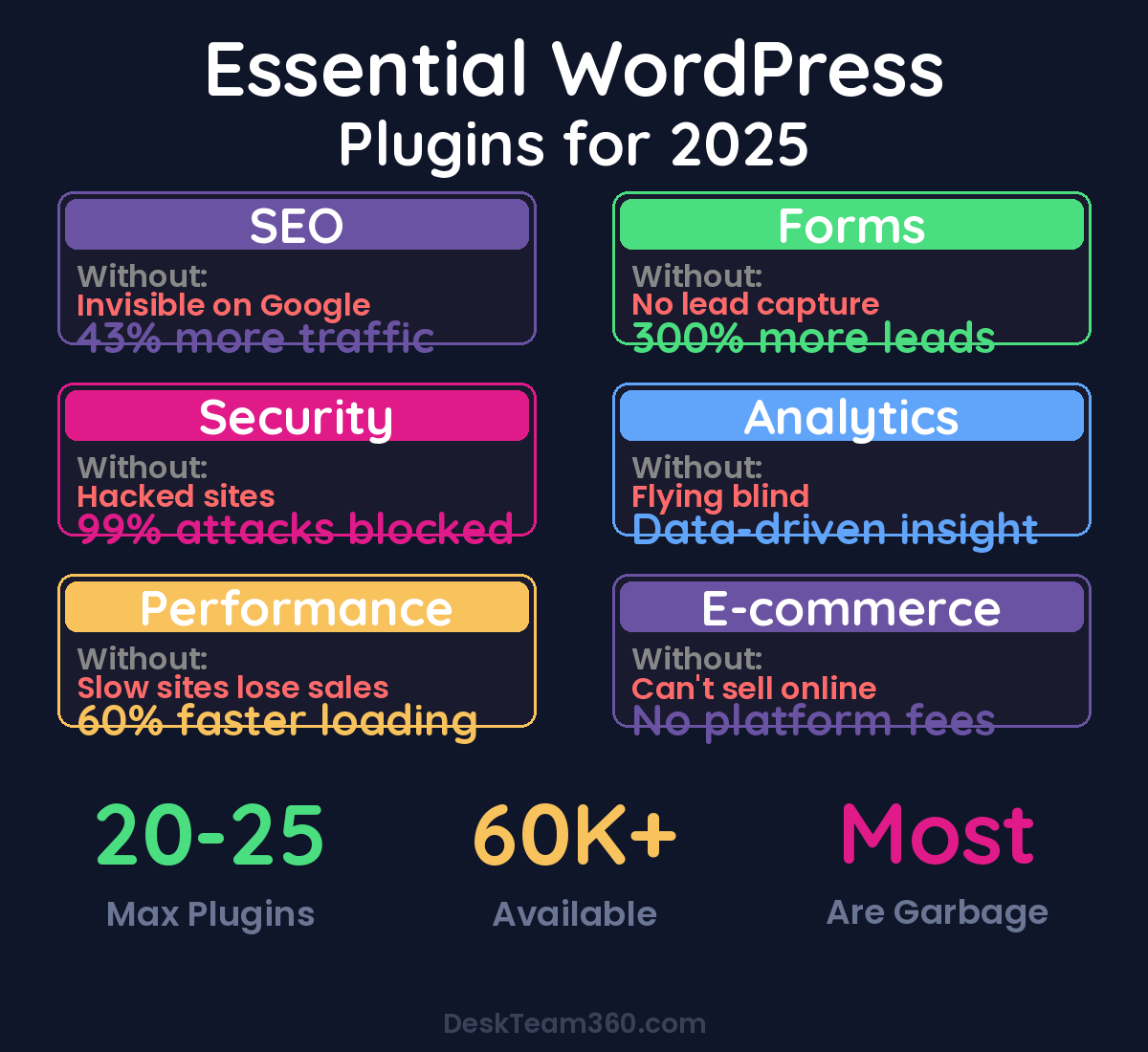
SEO: The Foundation That Everything Else Builds On
Without proper SEO, you’re invisible on Google. Period. Every business website needs one SEO plugin, configured correctly, managing your technical SEO so you can focus on content and conversions.
Yoast SEO: The Industry Standard
Yoast has been the gold standard for WordPress SEO since 2008, and there’s a reason it’s installed on over 13 million websites. The free version handles meta titles, meta descriptions, XML sitemaps, schema markup, and on-page optimization analysis. Premium adds redirect management, internal linking suggestions, and multi-keyword optimization.
For most business websites, the free version is enough. Upgrade to premium when you’re managing complex redirects or need advanced keyword targeting.
Rank Math: The Feature-Rich Alternative
If Yoast feels limiting, Rank Math delivers more features in the free tier. Built-in schema markup for local businesses, keyword tracking, 404 monitoring, and a cleaner interface. It’s also lighter on server resources, which matters for performance.
Rank Math is newer (launched in 2018) but has quickly gained traction with agencies and developers who want more control without paying for premium features.
Free 5-Minute Video
See How DeskTeam360 Works in Under 5 Minutes
Watch the short video and see exactly how we handle design, development, and marketing implementation — so you don't have to.
Watch the Video →
Security: Because Rebuilding From Scratch Isn’t a Strategy
WordPress sites get attacked constantly. Brute force login attempts, malware injections, plugin vulnerability exploits. Your business website isn’t special, it’s not flying under the radar. Hackers use automated tools that target thousands of sites at once. Security isn’t optional.
Wordfence Security: Your Digital Bodyguard
Wordfence is a firewall, malware scanner, and login security system in one plugin. The free version blocks most attacks and scans for malware weekly. Premium adds real-time threat intelligence and more frequent scans.
Essential settings to enable: two-factor authentication for all admin accounts, login attempt limiting, and email alerts for security events. These three settings alone stop 90% of automated attacks.
Pro tip: Set up weekly security scans to run automatically during low-traffic hours. Schedule them for 3am on Sundays and have reports emailed to your team. Most security issues are caught and contained before they become disasters.
UpdraftPlus: Because Backups Save Businesses
Security isn’t just about preventing attacks, it’s about recovery speed when something goes wrong. UpdraftPlus automatically backs up your entire website (files and database) to cloud storage like Google Drive, Dropbox, or Amazon S3.
Set it to run weekly at minimum. For sites with daily content updates or e-commerce transactions, run daily backups. When a plugin update breaks your checkout process or a server issue corrupts your database, you can restore your entire site in under 10 minutes.
I’ve seen businesses lose weeks of work because they assumed their hosting company was handling backups. Most aren’t, or they only keep them for 7 days. Control your own backups.
Performance: Speed Determines Everything
Site speed affects everything from Google rankings to conversion rates. A one-second delay in load time reduces conversions by 7%. That’s real money disappearing because your site is slow.
WP Rocket: Worth Every Penny
WP Rocket is a paid caching plugin ($59/year), and it’s the first plugin I install on every client site. It handles page caching, browser caching, GZIP compression, database optimization, and image lazy loading with zero technical configuration required.
Most sites see a 40-60% improvement in load time within 24 hours of installation. For e-commerce sites, that speed improvement directly translates to higher conversion rates and better user experience.
Sites using WP Rocket see 2.3 seconds faster average load times compared to free caching plugins.
ShortPixel Image Optimizer: Fix the Biggest Speed Killer
Images account for 60-80% of most web pages’ file size. ShortPixel compresses images without visible quality loss, converts them to modern WebP format, and can process your entire existing media library automatically.
The free tier includes 100 image compressions per month. For larger sites, plans start at $4.99 for 5,000 images. The bandwidth savings from properly optimized images pay for the subscription within the first month.
Forms and Lead Capture: Turn Visitors Into Customers
If your website doesn’t capture leads, it’s just an expensive digital brochure. Every business site needs forms that go beyond basic contact collection to qualify leads, gather specific information, and integrate with your sales process.
Gravity Forms: The Lead Generation Engine
Gravity Forms isn’t just a contact form builder, it’s a lead qualification system. Multi-page forms with conditional logic let you ask the right questions based on previous answers. File uploads handle project specifications or proposal requests. Payment integration processes deposits or consultation fees upfront.
CRM integrations with HubSpot, Salesforce, and Mailchimp automatically sort leads into your sales funnel. Advanced features like calculations, quizzes, and entry management turn forms into business tools, not just contact collection.
Starting at $59/year, it’s the most powerful form solution available for WordPress. For our comprehensive approach to lead generation, check out our guide on proven lead generation strategies.
Conditional logic changes everything. Instead of asking every visitor 20 questions, show 5-8 relevant questions based on their business type, budget, or project scope. Higher completion rates, better qualified leads, shorter sales cycles.
OptinMonster: Capture Departing Traffic
OptinMonster creates exit-intent popups, slide-ins, floating bars, and timed overlays that capture email addresses before visitors leave. A well-designed exit-intent popup recovers 10-15% of departing traffic that would otherwise never return.
Use sparingly. Nobody likes a site with five different popups. One strategic exit-intent offer with a compelling lead magnet can triple your email capture rate without annoying returning visitors.
Analytics: Data That Actually Drives Decisions
Google Analytics is essential, but raw analytics data is useless without context. You need plugins that surface actionable insights directly in your WordPress dashboard and track the metrics that matter for business growth.
Google Site Kit: Direct Connection to Google’s Data
Google’s official WordPress plugin connects your site to Analytics, Search Console, PageSpeed Insights, and AdSense. Instead of logging into separate Google tools, you see key metrics right in your WordPress dashboard.
The advantage over adding GA4 tracking code manually: easier setup, combined dashboard views, and direct Search Console integration without switching platforms.
MonsterInsights: Business-Focused Analytics
MonsterInsights translates Google Analytics data into business insights. E-commerce tracking shows which products drive revenue. Form tracking reveals which contact forms generate the most qualified leads. Popular content reports identify your highest-performing pages for content strategy.
The free version covers basic tracking. Pro ($99.50/year) adds e-commerce tracking, form conversion tracking, and custom reports that actually help with business decisions.
E-Commerce: Selling Online Without Platform Fees
If you’re selling products or services online, WordPress plus WooCommerce gives you complete control without the monthly fees and transaction costs of hosted e-commerce platforms.
WooCommerce: The E-Commerce Foundation
WooCommerce powers over 25% of all online stores globally. It handles physical products, digital downloads, subscriptions, bookings, and complex product configurations. The core plugin is free, with paid extensions for advanced functionality.
Essential extensions include WooCommerce Payments for Stripe integration, WooCommerce Subscriptions for recurring revenue products, and WooCommerce Bookings for service-based businesses scheduling appointments or consultations.
Watch out: WooCommerce is powerful but complex. Don’t attempt a DIY setup for high-volume stores or complex product catalogs. The learning curve is steep, and mistakes directly impact revenue. Consider professional setup for stores processing over $10K monthly.
Content and Page Building: Design Without Developers
Modern business websites need more than basic themes. Landing pages, service showcases, product demonstrations, and lead capture pages require custom layouts that convert visitors into customers.
Elementor: Visual Page Building
Elementor lets you design custom pages with drag-and-drop editing. No coding required, but plenty of advanced options for developers. The free version handles most business needs. Pro ($59/year) adds theme building, popup creation, WooCommerce widgets, and advanced animations.
One caution: Elementor-built sites can be heavy if you’re not careful about optimization. Use it for key conversion pages (homepage, service pages, landing pages) rather than every page on your site. For content strategy that converts, our guide on conversion rate optimization covers the fundamentals.
Communication and Social Proof
Business websites need to facilitate communication and demonstrate credibility through customer feedback and social proof elements.
WP Mail SMTP: Ensure Emails Actually Send
WordPress’s default email function is unreliable. Form submissions, password resets, order confirmations, and automated notifications frequently end up in spam folders or fail to send entirely. WP Mail SMTP routes emails through proper SMTP services (Gmail, SendGrid, Mailgun) to ensure delivery.
This is especially critical for e-commerce sites where order confirmations and shipping notifications are essential for customer experience.
Maintenance and Optimization: Keep Everything Running
Websites require ongoing maintenance to stay secure, fast, and functional. These utility plugins handle routine maintenance tasks automatically.
Redirection: Manage URL Changes
Every time you change URL structure, delete pages, or reorganize content, you need proper 301 redirects. Without them, you’re sending visitors and search engines to dead pages. Redirection tracks 404 errors and lets you fix broken links before they hurt SEO or user experience.
Broken Link Checker: Prevent SEO Damage
Broken internal and external links hurt SEO rankings and user experience. Broken Link Checker automatically scans your site and emails reports of broken links to fix. Run monthly scans and address broken links immediately.
WP-Optimize: Database Maintenance
WordPress databases accumulate bloat from post revisions, spam comments, transient data, and plugin residue. WP-Optimize removes database bloat to keep your site running efficiently. Schedule monthly cleanups to maintain optimal performance.
Plugins You Definitely Don’t Need
Let me save you from common plugin mistakes that slow sites, create conflicts, and waste money.
For a deeper dive, see our guide on outsource marketing for course creators: what to delegate at every revenue stage.
For industry research and benchmarks, check out Google Web Performance guides.
Skip Jetpack completely. It tries to do everything and does most of it poorly. The performance hit isn’t worth the convenience. Use specialized plugins for each function instead.
Avoid all-in-one SEO plus security plus performance combination plugins. They create conflicts and usually excel at nothing. Pick the best plugin for each category.
Forget social auto-posting plugins. They’re unreliable, API-limited, and often create spammy content. Use Buffer, Hootsuite, or native platform scheduling instead.
Pro tip: Every plugin should justify its existence. If you can’t explain why a specific plugin is essential for your business goals, delete it. Lean plugin stacks perform better and have fewer conflicts.
Skip slider plugins entirely. Homepage sliders are dead. They hurt mobile performance, confuse navigation, and nobody clicks through multiple slides. Use a clear hero image with a compelling call-to-action instead.
Plugin Management That Prevents Disasters
Installing plugins correctly is only half the battle. Managing them properly prevents security vulnerabilities, performance degradation, and compatibility conflicts.
Keep Your Plugin Count Under 25
There’s no magic number, but 20-25 well-chosen plugins is optimal for most business sites. Every additional plugin adds code, potential conflicts, and security attack surface. Quality over quantity always wins.
Update Weekly, Backup First
Outdated plugins are the primary attack vector for WordPress hacks. Update weekly at minimum, but always run a backup before updating anything. Most plugin updates are minor bug fixes, but occasionally they break functionality or create conflicts.
Delete What You Deactivate
Deactivated plugins still exist on your server and can still be exploited by attackers. If you’re not using it, delete it completely. Don’t just deactivate and leave it installed “just in case.”
The 6-month rule works perfectly. If a plugin hasn’t been updated in 6+ months, find an alternative. Abandoned plugins become security liabilities, even if they’re currently working fine.
Vetting New Plugins Before Installation
Before installing any plugin, check the last updated date (anything over 6 months is concerning), number of active installations (higher is usually safer), average rating and recent reviews, WordPress version compatibility, and developer reputation.
Read recent negative reviews carefully. They often reveal deal-breaking issues that don’t show up in the plugin description or positive reviews.
If you need help managing WordPress maintenance tasks like plugin updates, security monitoring, and performance optimization, that’s exactly what outsourced teams handle best. Our guide on WordPress maintenance outsourcing covers the complete approach.
Build Your Essential Plugin Stack
Your WordPress plugin strategy should be lean, purposeful, and business-focused. Every plugin must directly support lead generation, customer experience, site performance, or security. If it doesn’t clearly contribute to business growth, it doesn’t belong on your site.
Start with the essentials: one SEO plugin, security and backups, performance optimization, lead capture forms, and analytics. Add specialized plugins based on your specific business model, but always prioritize simplicity over feature bloat.
Remember that plugins are tools, not solutions. The best plugin stack in the world won’t fix poor content, unclear value propositions, or broken sales processes. Get your fundamentals right first, then use plugins to amplify what’s already working.
Free Tool
How Much Is Freelancer Management Really Costing You?
Most agency owners have never done this math. Plug in a few numbers and see your real cost in 2 minutes.
Calculate Your Hidden Costs →