


How to Create a Wireframe for Your Website: A Simple Guide
Knowing how to create a wireframe can be the difference between growth and spinning your wheels.
📋 Table of Contents
Why Most Websites Fail Before They Launch
Here’s a story I’ve lived through more times than I care to count in 12+ years of running agencies. A business owner calls me up, excited about their new website project. “We need something modern, clean, conversion-focused,” they say. “When can you start designing?”
I ask them to walk me through what goes on the homepage. Silence. Then: “Um, the usual stuff. Our services, some testimonials, you know.” I ask where they want visitors to go first. More silence. “That’s your job to figure out, right?”
This is how $50,000 website projects turn into six-month disasters with five rounds of revisions and everyone pointing fingers. The business owner gets frustrated because the design “doesn’t feel right.” The designer gets defensive because they had to guess at everything. And the whole mess could have been prevented with two days of wireframing upfront.
A wireframe is your website‘s blueprint. You wouldn’t build a house without architectural plans, and you shouldn’t build a website without mapping out what goes where first. The companies that skip this step always, always pay for it later.
What Actually Happens When You Skip the Wireframe
I’ve watched this pattern repeat hundreds of times. Someone goes straight from “I need a website” to picking colors and fonts. No content strategy, no user flow mapping, no hierarchy planning. Just vibes and hope.
Then reality hits. The designer creates something beautiful, but it doesn’t convert because the call-to-action got buried below the fold. Or the navigation is confusing because no one thought through the customer journey. Or the homepage tries to say everything and ends up saying nothing.
If how to create a wireframe is on your radar, this guide is for you. Figuring out how to create a wireframe doesn’t have to be complicated. Watch out: Every hour you spend wireframing saves ten hours of design revisions. I’ve seen projects triple their timeline because stakeholders kept saying “can you move this section up?” and “what if we tried the CTA here instead?” All of that should happen in the wireframe stage when changes take minutes, not days.
The math is brutal. A proper wireframe takes 8-16 hours total for a typical business website. Design revisions because you didn’t wireframe? That’s 40-80 hours of expensive creative time, plus the project delays, plus everyone’s mounting frustration. Smart money wireframes first.

Free Tool
How Much Is Freelancer Management Really Costing You?
Most agency owners have never done this math. Plug in a few numbers and see your real cost in 2 minutes.
Calculate Your Hidden Costs →
What a Wireframe Actually Is
Let me clear up the confusion because most people think a wireframe is fancier than it really is. It’s not a design mockup with pretty colors and branded fonts. It’s not pixel-perfect. And it definitely doesn’t need to be created in expensive software.
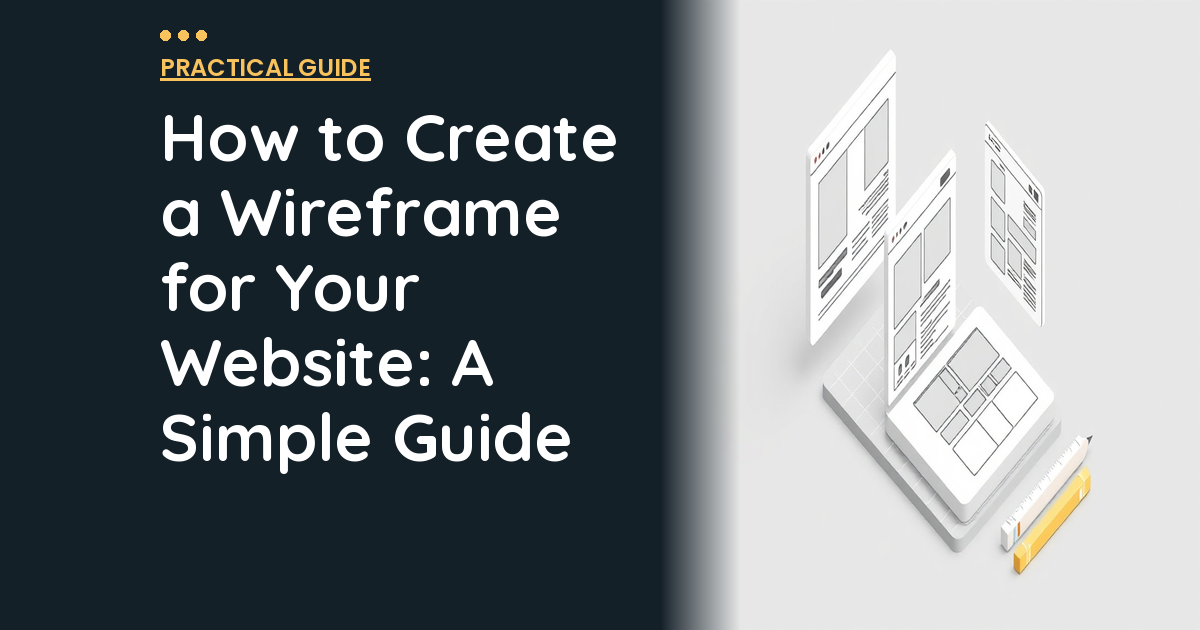
A wireframe is a simple, black-and-white layout that shows where content goes and how users flow through your site. Think boxes and labels. “Header goes here,” “testimonials section,” “call-to-action button.” It’s intentionally ugly so everyone focuses on structure instead of getting distracted by whether the blue should be navy or royal.
The best wireframes often come from business owners, not designers. You know your customers better than anyone. You understand what questions they ask, what objections they have, what information they need to make a buying decision. That knowledge matters more than design skills when you’re mapping out site structure.
Pro tip: Start with pen and paper, seriously. Draw boxes for your main sections, write labels, sketch out the flow. It takes 30 minutes and saves weeks of miscommunication later. Once you nail the structure on paper, you can clean it up digitally.
The Three Levels of Wireframing
Not all wireframes need the same level of detail. Pick the right fidelity for your situation and don’t over-engineer it.
Low-fidelity wireframes are rough sketches. Boxes, lines, basic labels. I’m talking napkin-level simplicity here. Use these when you’re brainstorming, exploring different layout options, or trying to quickly communicate an idea to your team. They take 15-30 minutes per page, and that speed is the whole point.
Mid-fidelity wireframes are more refined digital layouts created in tools like Figma or Balsamiq. They include more detail about content sections, navigation elements, and interactive components. The section headings might be real, but the body text is still placeholder. This is the sweet spot for most business websites because they’re detailed enough to guide design work without getting bogged down in specifics.
High-fidelity wireframes are detailed, precise layouts that closely approximate the final design minus the visual styling. They include real content, exact spacing, interactive elements like dropdown menus. Use these for complex projects with multiple stakeholders who need to approve structure before spending money on design. They take 3-8 hours per page, so save them for when you really need that level of detail.
For most small to mid-size business websites, mid-fidelity hits the sweet spot between useful detail and efficient execution.
Tools That Actually Work
You don’t need a $50/month design subscription to create wireframes. Here’s what actually works, from simplest to most powerful.
Pen and paper beats everything for initial brainstorming. It’s faster than any software, doesn’t require logins or tutorials, and you can sketch anywhere. Draw boxes for content sections, lines for text blocks, X’s for images. When a client asks me to wireframe their homepage during a strategy call, I literally grab a legal pad and start sketching while we talk.
Figma has become the industry standard, and the free tier is legitimately generous. It’s browser-based so there’s no software to install, multiple people can edit simultaneously, and it has tons of wireframe templates. The learning curve is moderate, but an hour of YouTube tutorials gets you producing usable wireframes. The big advantage is that designers can take your Figma wireframes and evolve them directly into design mockups.
Balsamiq is specifically designed for wireframing and intentionally looks hand-drawn. This keeps everyone focused on structure instead of getting distracted by aesthetics. It’s dead simple to use, drag-and-drop intuitive, and perfect for business owners who want dedicated wireframing tools without the complexity of full design software.
Homepage Wireframing Strategy
Your homepage is the most important page to wireframe because it sets the template for everything else. Here’s the structure that converts across industries.
Start with your hero section because it’s the make-or-break moment. Visitors decide within three seconds whether to stay or bounce. Your headline needs to communicate who you serve and what problem you solve. The subheading explains how you solve it differently or better. The primary call-to-action button should be the one thing you want everyone to do. Hero image or video supports the message but doesn’t distract from it.
Social proof comes next because trust drives conversion. Client logos, testimonials, review ratings, industry awards, anything that proves other people have bet their money on you. Place this high on the page, within the first scroll. If you’re just starting out and don’t have impressive client logos, use individual testimonials with photos and names. Real faces build trust better than anonymous quotes.
Your services overview should hit the highlights without overwhelming visitors. Three to four main offerings, each with an icon, brief description, and link to detailed information. Don’t try to explain everything here. The goal is to help visitors self-select and click deeper into what interests them most.
Process explanation reduces friction by showing how easy it is to work with you. Three or four simple steps from initial contact to delivered results. “Schedule a call, we analyze your situation, we implement the solution, you get results.” Keep it high-level and confidence-building.
One primary action per page. Every page should have ONE main thing you want visitors to do. Not three, not five. One. Your wireframe should make that action obvious and remove anything that competes with it. Secondary actions are fine, but they should be visually subordinate to the primary CTA.
Content Hierarchy That Actually Works
The most important concept in wireframing is content hierarchy. What information is most critical, and how do you make sure it gets prominent placement?
Use the inverted pyramid from journalism. Most important information at the top, supporting details below. Your headline and primary CTA should communicate your core value proposition within seconds of landing on the page. As visitors scroll, content goes from broad and essential to detailed and supporting.
Here’s the flow that converts: top section establishes who you are, what you do, and includes the primary CTA. Middle section explains why you’re different, provides proof, and shows how your process works. Bottom section handles details, frequently asked questions, and reinforces the CTA for people who scrolled but haven’t converted yet.
Try the squint test when reviewing your wireframe. Squint at it until everything blurs. Can you still tell what the most important elements are? If everything looks like the same gray blob, your hierarchy needs work. The primary headline and CTA should stand out even when squinted.
Mobile-First Wireframing
Over 65% of website traffic is mobile, but most business owners still wireframe desktop first and then try to cram everything onto a phone screen. That’s backwards and expensive.
Start with mobile constraints because they force prioritization. If you only have 375 pixels of width to work with, every element has to earn its place. What’s truly essential? What can be simplified or combined? What can be moved to a secondary page? The mobile wireframe becomes your content hierarchy roadmap.
Then expand to tablet and desktop by adding detail and breathing room, not new content sections. The core structure and flow should remain consistent across devices. If your mobile wireframe works, your desktop version will work. The reverse isn’t always true.
Websites wireframed mobile-first see 40% higher mobile conversion rates compared to desktop-first designs that get adapted down later.
Common Wireframing Mistakes That Kill Projects
I’ve seen these mistakes tank otherwise solid website projects. Avoid them and save yourself months of headaches.
Starting with layout instead of content is the biggest killer. Don’t create a beautiful grid and then try to fit your messaging into it. Start with what you need to communicate and in what order, then let the layout serve the content. Content drives structure, not the other way around.
Wireframing only the happy path misses most of your actual users. What happens when someone clicks the wrong navigation item? What if they land on your services page instead of the homepage? Where do confused visitors go for help? Map the full user experience, not just the ideal customer journey.
Using placeholder text for critical elements defeats the purpose. Lorem ipsum is fine for body copy, but your headlines, navigation labels, and CTAs need real text. These elements drive structure, and “Lorem Ipsum Dolor” doesn’t tell you whether a headline needs one line or three.
Watch out: Don’t over-detail your wireframes. If you’re agonizing over exact spacing, font choices, or button colors in the wireframing stage, you’re missing the point. Keep it structural. Save the pretty pixels for the design phase.
For industry research and benchmarks, check out Google’s web.dev.
Beyond the Homepage
Your homepage wireframe establishes the template, but don’t forget the supporting pages that drive conversions.
Services pages need individual attention because they’re often your highest-converting pages. Structure each service page with an overview section, key benefits broken into digestible chunks, social proof specific to that service, pricing information if applicable, and a clear next step CTA. Our guide on creating high-converting landing pages covers the psychological principles that drive service page performance.
About pages get dismissed as afterthoughts, but they’re critical for trust-building. Include your company story focused on why you exist and what drives you, team section with photos and brief bios, and your values or mission. Don’t make it a dead end though. Every page needs a CTA, even your about page.
Contact pages should remove friction, not create it. Contact form with minimal fields, direct contact information including phone and email, business hours, and if applicable, a map embed for physical locations. Every additional form field reduces submissions, so keep it simple.
Wireframes for Website Redesigns
If you’re redesigning an existing site, you have a huge advantage: data. Use it to inform your wireframe decisions instead of starting from scratch.
Analyze your current site performance first. What pages get the most traffic? Where do visitors drop off? What’s your conversion rate, and where are the bottlenecks? If your current contact page converts at 2% but industry average is 8%, there’s your wireframing priority.
Identify what’s working before you throw everything out. If your navigation structure generates good engagement and low bounce rates, keep the bones and improve the details. Don’t fix what isn’t broken just because you want something “fresh.”
Focus wireframing time on high-impact pages. You probably don’t need to wireframe your privacy policy. Prioritize your homepage, key service pages, and whatever pages drive the most leads. If budget or timeline is tight, wireframe these first and tackle secondary pages in phase two.
Pro tip: Export your Google Analytics data for the last 12 months and identify your top 10 performing pages by traffic and conversions. These are your wireframing priorities. Everything else can follow the same structural template with different content.
Handing Off Wireframes to Your Design Team
A great wireframe only saves time if you communicate it properly to your designer. I’ve seen perfect wireframes get butchered because the handoff was sloppy.
Your designer needs the wireframe files in a format they can reference easily. Figma files, Balsamiq exports, or clear photos of paper sketches. Whatever format you use, make sure it’s organized and readable. Messy handoffs create confused designers, and confused designers ask lots of questions that slow everything down.
Content direction is critical. Real headlines, real copy or at least detailed outlines, image direction, and functionality notes. Does this section need to be a slider? Does this form need specific fields? Does this content pull from a blog feed? Annotate your wireframes with behavioral notes so your designer doesn’t have to guess.
Schedule a wireframe walkthrough meeting instead of just emailing files. Walk through your thinking: why you placed elements where you did, what goals each section serves, where you’re flexible versus firm. A 30-minute explanation saves 10+ hours of revision time.
Brand assets and examples help your designer nail the aesthetic. Your logo files, color palette, fonts, existing brand guidelines, and examples of websites whose design you admire. Having a solid design brief alongside wireframes gives designers everything they need to hit the mark on the first try.
After the Wireframe
Once wireframes are approved, the typical workflow moves into design mockups where your designer adds colors, typography, imagery, and branding to the wireframe structure. Because the layout was already approved, revisions focus on aesthetics which are faster and cheaper to change than structural overhauls.
Development comes next, where approved designs get built into functional websites. This is often where outsourcing development work makes financial sense. The heavy technical lifting gets handled by specialists while you focus on content strategy and business operations.
Content population follows development, where real content, images, and media get added to the built site. Then quality assurance testing across devices and browsers, performance optimization, and launch.
The wireframing stage typically represents 5-10% of the total project timeline but prevents 50-70% of costly revisions later. That’s the best return on investment of any step in the web design process.
Stop Treating Wireframes Like Extra Work
I know wireframing feels like an extra step when you’re eager to see your new website come to life. But every hour you spend wireframing saves multiple hours in design revisions, development changes, and launch delays.
The businesses that consistently launch websites on time and on budget are the ones that wireframe first. They understand that structure drives success, not pretty pixels. They plan the user experience before worrying about what color the buttons should be.
Even a rough paper sketch beats jumping straight into design. Give your designer a roadmap, and they’ll deliver results that match your vision the first time instead of the fifth. Understanding effective project management principles makes the difference between smooth launches and expensive disasters.
Ready to turn your wireframes into a stunning, high-converting website? Our flat-rate design and development plans take you from wireframe to launch without the typical agency markup and timeline padding.
Free 5-Minute Video
See How DeskTeam360 Works in Under 5 Minutes
Watch the short video and see exactly how we handle design, development, and marketing implementation — so you don't have to.
Watch the Video →