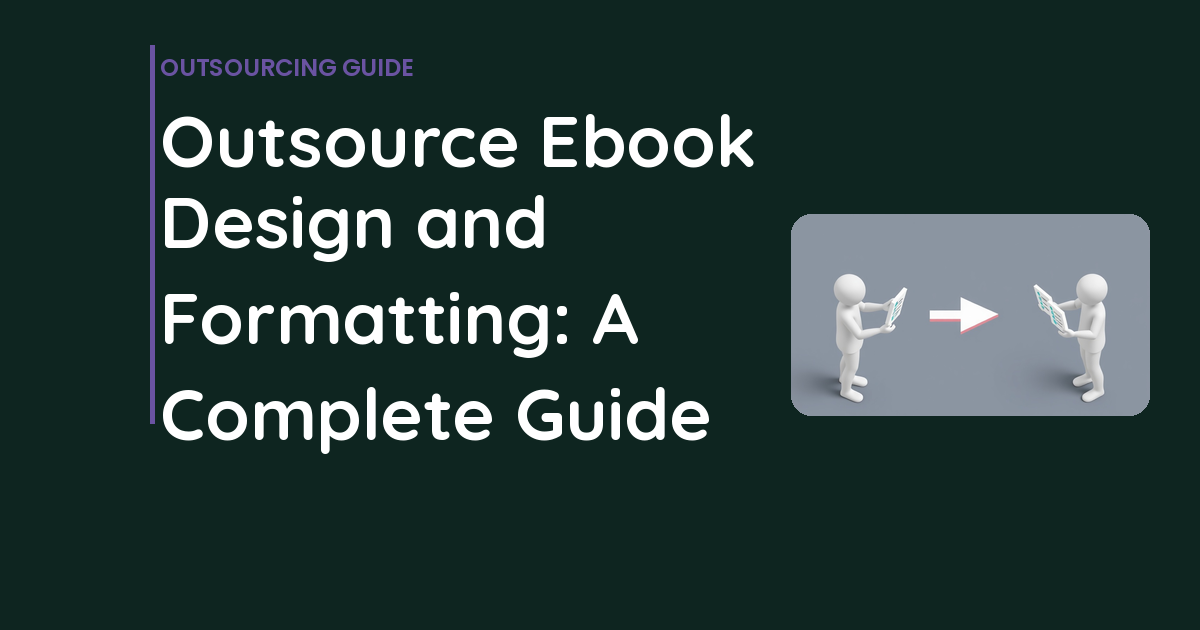
Outsource Ebook Design and Formatting: A Complete Guide
Why Most Ebooks Look Like Garbage
When you outsource ebook design, you’re making a strategic move. You spend weeks writing a killer piece of content. Something genuinely useful that could generate hundreds of leads. You’re excited to turn it into an ebook and start collecting emails.
📋 Table of Contents
Then you open Canva and realize you have no clue what you’re doing. Three hours later, you’ve got a 15-page document that looks like it was designed by a middle schooler in 2003. Comic Sans would be an improvement.
I see this exact scenario play out constantly. Brilliant content trapped inside amateur design. Your ebook becomes another forgotten PDF download that nobody reads, shares, or remembers.
Here’s the truth nobody wants to admit: design isn’t optional for ebooks that actually perform. It’s the difference between a lead magnet that converts at 2% and one that converts at 15%. After working with 400+ clients who’ve created thousands of ebooks, I can tell you exactly when to outsource the design work and how to make sure you get something that doesn’t suck.
The Five Types of Ebooks You Actually Need
Before we talk about outsourcing, let’s get clear on what you’re actually building. Not all ebooks are created equal, and the type determines everything about your design approach.
Lead Magnet Ebooks
These are the workhorses. Typically 10-30 pages of focused content that solves a specific problem. Think “The Complete Guide to [Whatever]” or “7 Strategies for [Outcome].” They sit behind a landing page form, collecting emails in exchange for valuable information.
Design requirements here aren’t optional. Your ebook needs a custom cover that looks professional at thumbnail size, branded interior pages that don’t look like Word vomited all over them, data visualizations that actually make sense, and clear calls-to-action that drive people toward your services. This document represents your brand. Make it count.
Kindle and Amazon Publishing
Publishing on Amazon requires specific technical formatting that most people completely screw up. You need EPUB and MOBI files that actually work across all Kindle devices, covers that meet Amazon’s rigid specifications, and interior formatting that doesn’t break when someone changes their font size.
Here’s what people don’t understand: what looks perfect as a PDF can look absolutely terrible on a Kindle Paperwhite. Font sizes get wonky, images disappear, and your carefully crafted layout becomes unreadable. This isn’t amateur hour. It’s a specialized skill.
Interactive PDF Ebooks
These include clickable elements: working hyperlinks, embedded videos, interactive navigation, and form fields that actually function. They’re perfect for sales materials, detailed product guides, or premium content pieces where the experience matters as much as the information.
Workbooks and Templates
Fillable workbooks need form fields that actually work when people download them. Planning templates need space for people to write or type their answers. The design has to balance looking professional with being genuinely functional.
Most DIY attempts at workbooks are disasters. Either the forms don’t work, or they work but look like they were designed in 1995.
Free Tool
How Much Is Freelancer Management Really Costing You?
Most agency owners have never done this math. Plug in a few numbers and see your real cost in 2 minutes.
Calculate Your Hidden Costs →
Why DIY Ebook Design Usually Fails
Tools like Canva and Google Slides can handle basic graphics. For a quick internal document or a simple one-page cheat sheet? Fine. But for customer-facing lead magnets? The limitations become obvious fast.
Template constraint is the biggest issue. Everyone uses the same Canva templates, so your ebook ends up looking identical to your competitor’s. Typography options are limited, with poor control over spacing, line height, and font pairing. Try creating a complex multi-column layout with data visualizations in Canva. You’ll want to throw your laptop out the window.
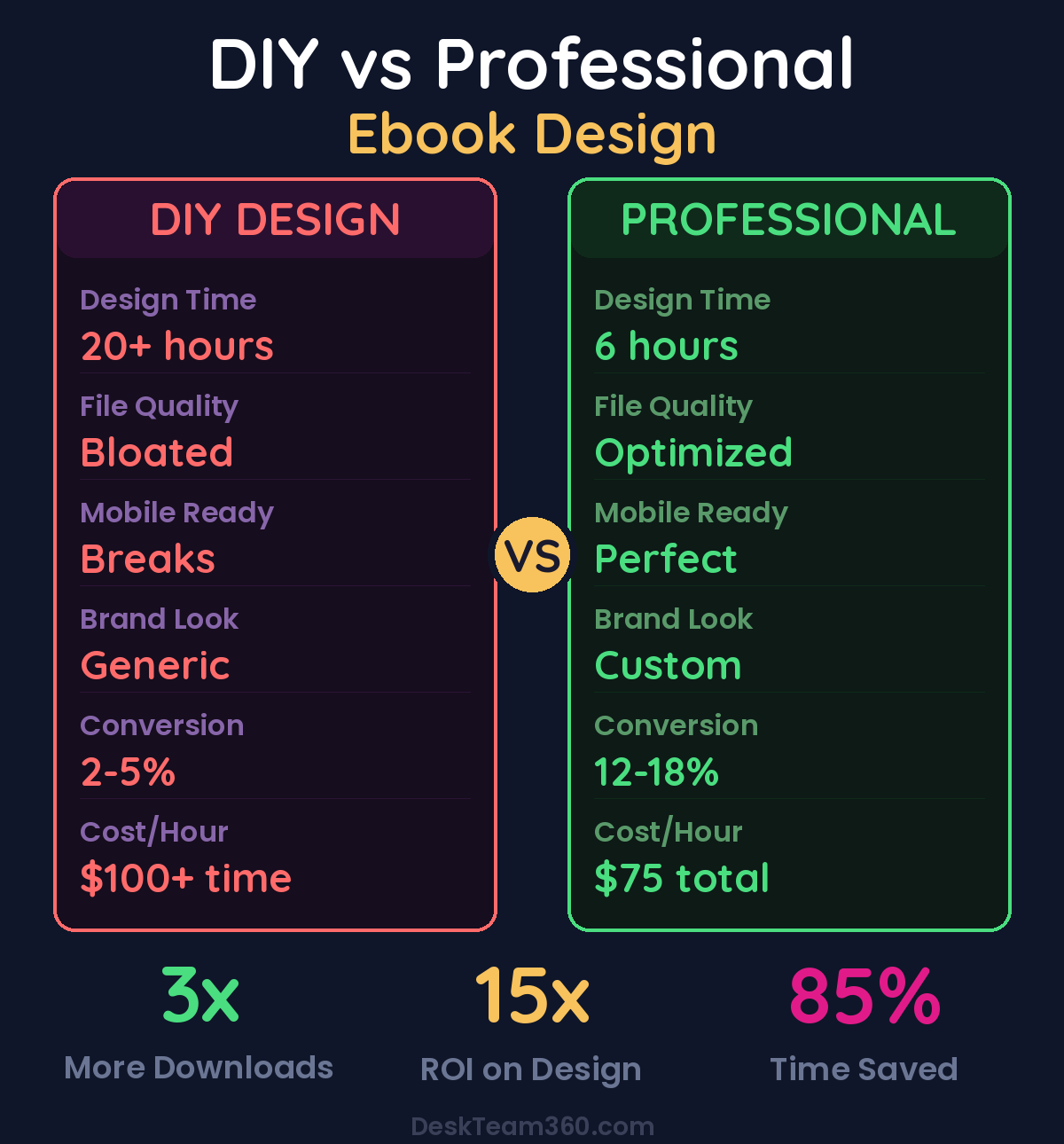
File size and quality issues plague DIY tools. They export bloated files with compressed images that look pixelated on high-resolution screens. And the time investment is insane. What takes a professional designer 4-6 hours will eat up 15-20+ hours of your time, and the result still looks amateur.
Your time is worth more than fighting with design software. If you’re billing $100+ per hour for your expertise, spending 20 hours to save $800 on design is terrible math.
For context on these limitations, our comparison of Canva versus professional design breaks down exactly where DIY tools hit the wall.
When Professional Ebook Design Pays for Itself
Outsource your ebook design when the document represents your brand to potential customers. If people are trading their email address for your content, it better look like it’s worth something.
You need professional help for anything that includes complex data, requires Kindle formatting, needs interactive elements, or represents a significant marketing investment. If your ebook is going to be promoted across social media, email campaigns, and paid ads, amateur design will hurt your credibility.
And honestly, if you’re a business owner whose time is better spent creating content than wrestling with InDesign, just hire it out. The math is simple.
What Separates Good Ebook Designers from Mediocre Ones
Most graphic designers can create a decent logo or social media graphic. Ebook design is different. It’s closer to editorial design, like magazines or books. You need someone who understands multi-page document flow and typography at a deeper level.
Look for designers with specific ebook examples in their portfolio. Pay attention to their typography choices, how they use white space, and whether their designs have clear visual hierarchy. Can you scan their layouts and immediately understand what’s important? Do data-heavy pages feel organized or overwhelming?
Understanding of digital formats is non-negotiable. A good ebook designer knows the technical requirements for PDF, EPUB, MOBI, and print. They understand color profiles, resolution requirements, and file optimization. They won’t hand you a 50MB file that crashes email servers.
Pro tip: Ask potential designers about their process for handling revisions and file delivery. Professionals have clear systems for managing feedback and delivering multiple file formats. Amateurs wing it and create headaches down the road.
The Step-by-Step Outsourcing Process
Step 1: Finish Your Content First
Don’t send your designer a half-baked manuscript and expect them to work with it. Changes to content after design begins create expensive revision cycles. Your content should be complete, edited, and organized with clear chapter titles, subheadings, body copy, and callouts you want highlighted.
Include image placeholders or descriptions for anything you want visualized. If you have data that needs charts or graphs, provide the actual numbers, not just “insert chart here.” Writing an effective creative brief upfront prevents most miscommunication disasters.
Related: Responsive Web Design Best Practices: The Complete Guide.
Step 2: Provide Complete Brand Assets
Give your designer everything they need from day one. Logo files in vector format, brand colors with hex codes, brand fonts or font specifications, any existing brand guidelines, and 2-3 examples of ebook designs you like.
That last point is crucial. Visual examples communicate your preferences better than paragraph descriptions ever will.
Step 3: Cover Design Sets the Tone
Your ebook cover is what sells the download. It needs to be readable at thumbnail size, clearly communicate the topic, and look professional enough that people trust the content inside. Most importantly, it needs to stand out from the avalanche of generic templates flooding the internet.
Most designers provide 2-3 cover concepts. Pick the one that’s most readable when shrunk down to social media thumbnail size. That’s how most people will first encounter it.
Step 4: Interior Layout System
This is where the real work happens. Professional designers create layout systems for your ebook: chapter opener templates, standard content pages, data visualization pages, callout and quote treatments, and CTA pages.
They’ll design the first chapter completely, get your approval on the overall approach, then apply that system to the rest of your content. This is more efficient than designing every page from scratch and ensures visual consistency throughout.
Professionally designed ebooks generate 3x more downloads than DIY versions when promoted through the same channels.
Step 5: Review Process
Review the first proof carefully. Check for typos and content errors, because they hide in designed layouts even after careful editing. Verify image quality and placement, color consistency, and readability on both desktop and mobile devices.
Plan for 2-3 rounds of revisions. First round catches layout and visual issues. Second round handles smaller details. Third round is final polish. More rounds than that usually means the initial brief wasn’t clear enough.
Step 6: File Delivery
You should receive high-quality PDF files optimized for digital distribution, print-ready PDFs if applicable, EPUB/MOBI files for Kindle publishing, source files so you can make future edits, and cover images as separate files for landing pages and social media promotion.
What Professional Ebook Design Actually Costs
Pricing varies based on complexity, designer experience, and your specific requirements. Basic lead magnets typically run $300-800 with experienced freelancers. Standard ebooks with 20-40 pages cost $800-2,000. Complex interactive ebooks can run $2,000-5,000+ through agencies.
Kindle formatting alone usually costs $200-500 for standard books, but that assumes your content is already properly organized and edited.
If you’re creating ebooks regularly for ongoing content marketing, multiple lead magnets, or publication series, a flat-rate design service almost always beats project-based freelancer costs. The math is simple once you need more than 2-3 ebooks per year.
Related: What Is White Label Marketing? The Complete Guide for Agencies.
For industry benchmarks and research, see Clutch.co.
Design Mistakes That Kill Ebook Performance
Too much text per page is the biggest killer. Dense walls of text murder readability. Use generous margins, proper line spacing, and break up content with visuals, callouts, and white space.
Inconsistent design throughout the document looks amateur. Every page should feel like it belongs to the same publication. Mixing fonts, colors, or spacing inconsistently screams “I made this myself in Canva.”
Ignoring the call-to-action is a massive missed opportunity. Your ebook should drive people toward your services, not just educate them and send them away. Include clear next-step CTAs throughout the document, not just at the end.
Watch out: Generic stock photos add nothing and often make your ebook look cheaper. Use custom graphics, data visualizations, screenshots, or no images rather than obvious stock photography that everyone recognizes.
Forgetting about mobile readers is increasingly expensive. More people read ebooks on phones now than on computers. Test your layout on smaller screens, or better yet, have your designer optimize for mobile from the start.
Massive file sizes kill downloads. If your ebook is 50MB, it won’t download smoothly on mobile connections and email services may reject it as an attachment. Optimize images and compress the final file without sacrificing quality.
Maximizing ROI After Design
Getting the ebook designed is just the beginning. To maximize its value, create a dedicated landing page specifically for the ebook. Don’t just dump a download link on your homepage. Build a high-converting landing page that sells the value and captures emails.
Promote it everywhere: blog posts, social media, email signatures, paid ads, guest posts, and anywhere your target audience hangs out. Repurpose the content by turning chapters into blog posts, key statistics into social media graphics, and sections into email sequences.
Gate it strategically by requiring an email to download, then nurture those leads with follow-up sequences. Track which promotion channels generate the highest-quality leads and double down on those.
Update it regularly to keep the content fresh. Refresh statistics annually, add new sections when relevant, and update the design every couple of years to avoid looking dated.
Getting Ebook Design Right the First Time
A well-designed ebook is a marketing asset that works around the clock, generating leads, building authority, and moving prospects through your sales funnel. Don’t let amateur design undermine great content.
Whether you need lead magnet ebooks, Kindle formatting, interactive PDFs, or an entire content library designed, professional design ensures your ebook makes the impression your content deserves.
At DeskTeam360, we handle ebook design, formatting, and marketing collateral production on a consistent basis. Our team manages the entire design process so you can focus on creating content that converts, not fighting with layout software.
Free 5-Minute Video
See How DeskTeam360 Works in Under 5 Minutes
Watch the short video and see exactly how we handle design, development, and marketing implementation — so you don't have to.
Watch the Video →